44 | Operating your monitor
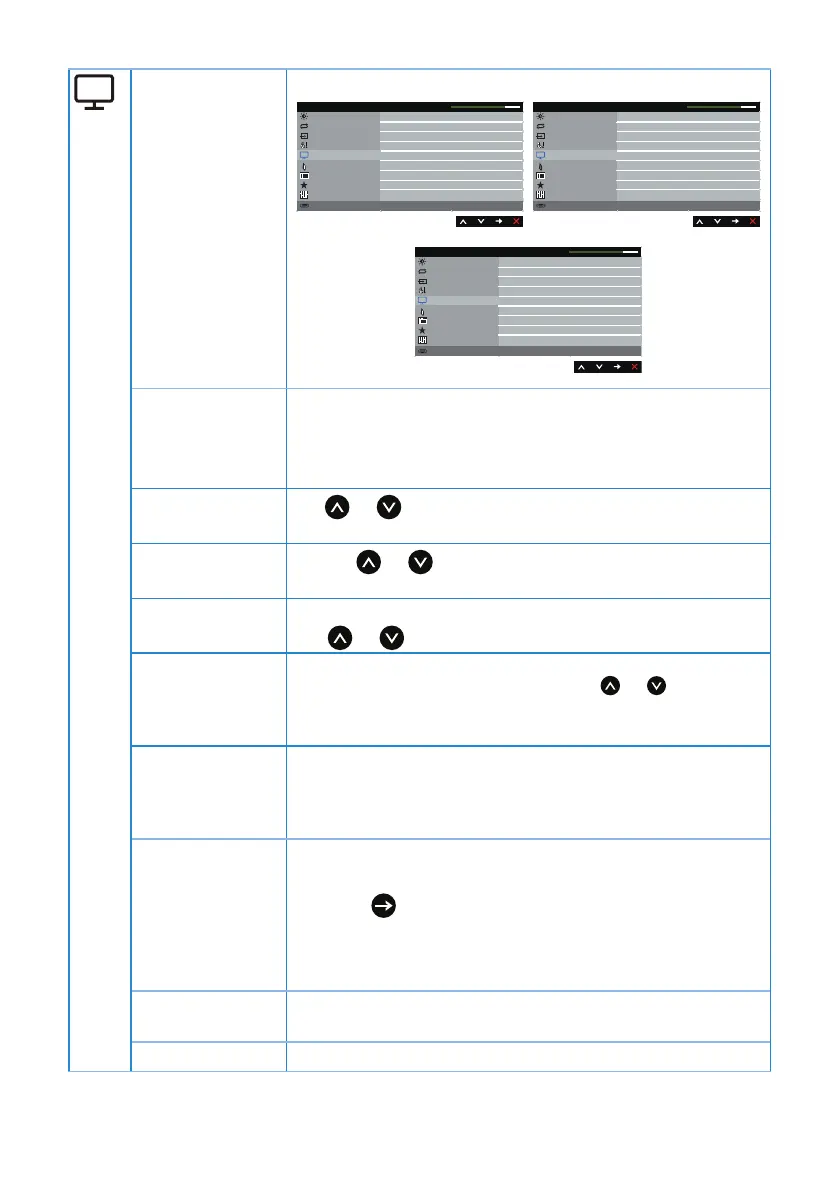
Display Use the display to adjust image.
Brightness / Contrast
Energy
Menu
Personalize
Others
Resolution: 1280x1024, 60Hz
Dell P1917S/P1917SWh Energy Use
Auto Adjust
Input Source
Color
50
50
50
50
12
Normal
Display
Horizontal Position
Vertical Position
Sharpness
Pixel Clock
Phase
Response Time
Reset Display
Dynamic Contrast
Brightness / Contrast
Energy
Menu
Personalize
Others
Resolution: 1600x900, 60Hz
Dell P2017H Energy Use
Auto Adjust
Input Source
Color
Wide 16:9
50
50
50
50
12
Normal
Display
Aspect Ratio
Horizontal Position
Vertical Position
Sharpness
Pixel Clock
Phase
Response Time
Reset Display
Dynamic Contrast
Brightness / Contrast
Energy
Menu
Personalize
Others
Resolution: 1680x1050, 60Hz
Dell P2217/P2217Wh Energy Use
Auto Adjust
Input Source
Color
Wide 16:10
50
50
50
50
12
Display
Aspect Ratio
Horizontal Position
Vertical Position
Sharpness
Pixel Clock
Phase
Reset Display
Dynamic Contrast
Aspect Ratio Adjusts the image ratio to wide 16:9, 4:3 or 5:4(for
P2017H).
Adjusts the image ratio to wide 16:10, 4:3 or 5:4(for
P2217/P2217Wh).
Horizontal
Position
Use
or the buttons to adjust image left and right.
Minimum is 0 (-). Maximum is 100 (+).
Vertical Position
Use the
or buttons to adjust image up and down.
Minimum is 0 (-). Maximum is 100 (+).
Sharpness This feature can make the image look sharper or softer.
Use
or to adjust the sharpness from 0 to 100.
Pixel Clock The phase and pixel clock adjustments allow you to adjust
your monitor to your preference. Use
or buttons to
adjust for best image quality. Minimum is 0 (-). Maximum
is 100 (+).
Phase If satisfactory results are not obtained using the phase
adjustment, use the pixel clock (coarse) adjustment and
then use phase (fine), again. Minimum is 0 (-). Maximum is
100 (+).
Dynamic
Contrast
Allows you to increase the level of contrast to provide
sharper and more detailed image quality.
Press the
button to select the dynamic contrast on or
off.
NOTE: Dynamic contrast provides higher contrast if you
select game or movie preset mode.
Response Time User can select between fast or normal. (for P1917S/
P1917SWh and P2017H only)
Reset Display Select this option to restore default display settings.


 To Next Page