Back View
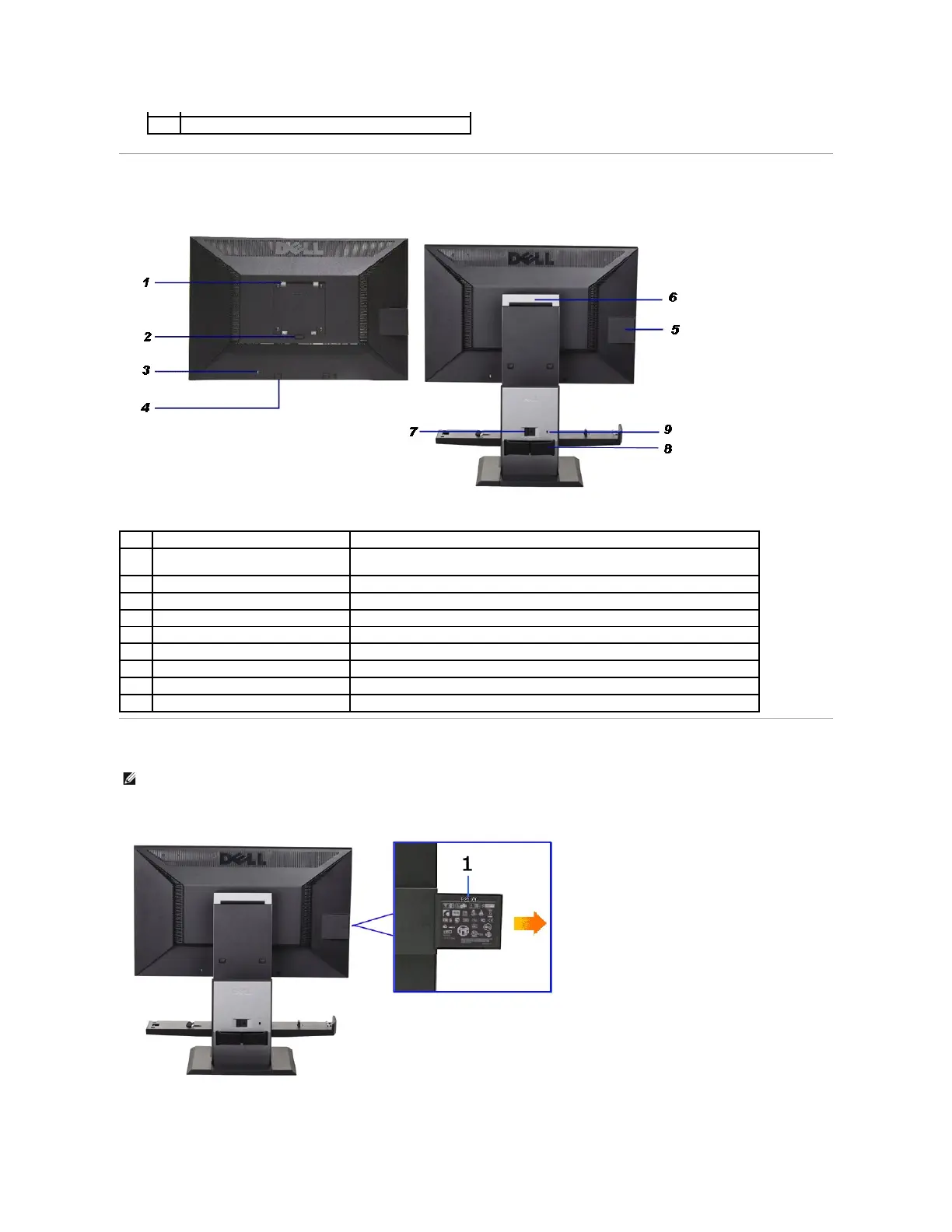
Label Card View
Power (with power light indicator)
Back view with monitor stand
VESA mounting holes (100 mm x 100 mm -
behind attached base plate)
Wall mount monitor using VESA compatible wall mount kit (100 mm x 100 mm)
Release stand from monitor.
Secures monitor with security cable lock
Dell Soundbar mounting brackets
Attaches the optional Dell Soundbar.
Help locating regulatory and barcode labels
Enable full monitor and computer system transportability.
Releases computer and cable cover from stand.
Secures computer and cable cover with security lock
NOTE: Monitor shipped with label card fully inserted in USB compartment. Pull out the label card to access
the barcode serial number label and regulatory rating label.
Back View with label card pulled out


 To Next Page