Setting Up the Monitor | 25
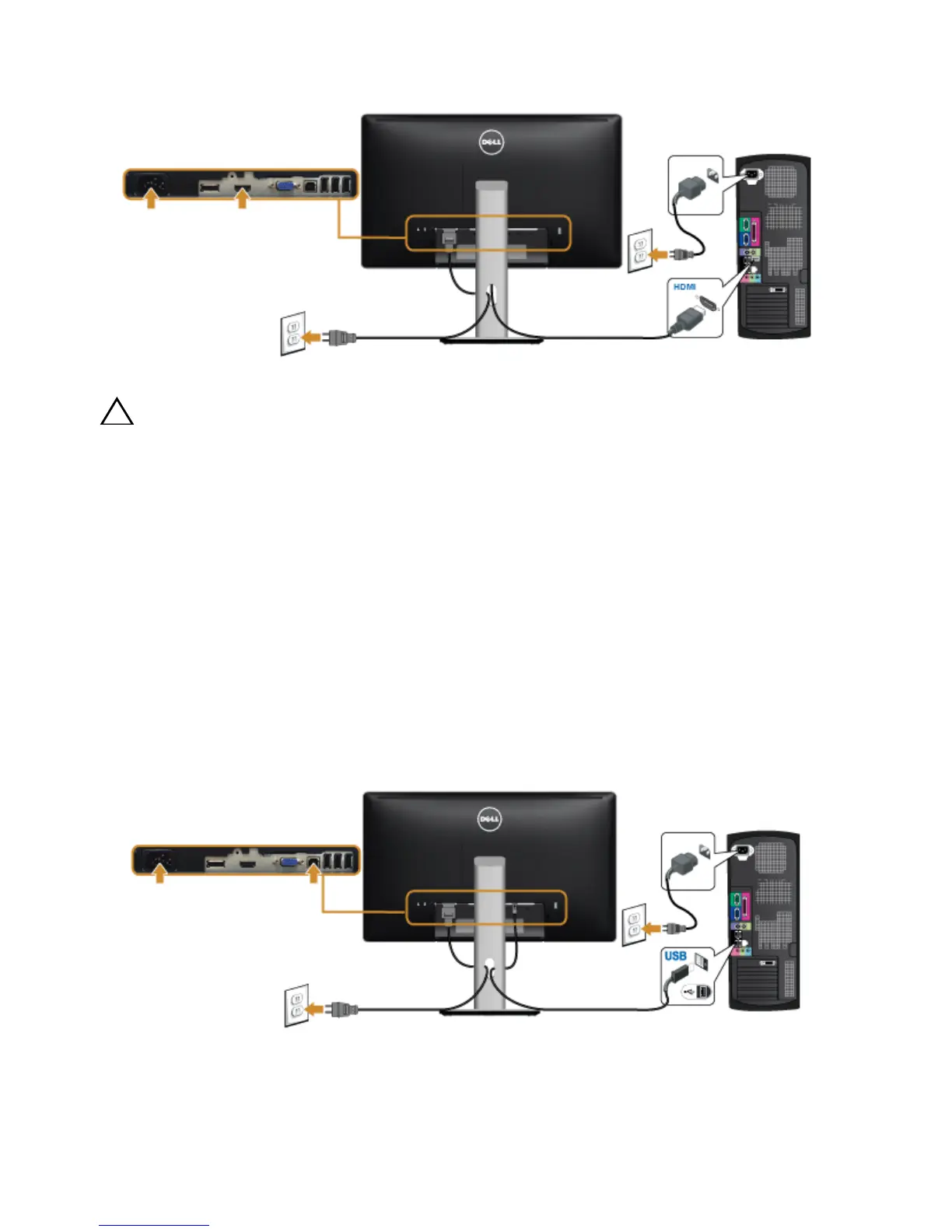
Connecting the HDMI cable (optional)
CAUTION: The graphics are used for the purpose of illustration only. Appearance
of the computer may vary.
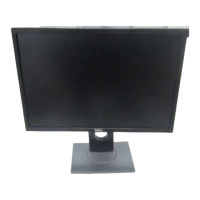
Connecting the USB cable
After you have completed connecting the DP/VGA/HDMI cable, follow the procedures
below to connect the USB cable to the computer and complete your monitor setup:
1 Connect the upstream USB port (cable supplied) to an appropriate USB port on
your computer. (See
Bottom View
for details.)
2 Connect the USB peripherals to the downstream USB ports on the monitor.
3 Plug the power cables for your computer and monitor into a nearby outlet.
4 Turn On the monitor and the computer.
If your monitor displays an image, installation is complete. If it does not display an
image, see
Universal Serial Bus (USB) Specific Problems
.
5 Use the cable slot on the monitor stand to organize the cables.


 To Next Page