Operating the Monitor | 29
Operating the Monitor
Power On the Monitor
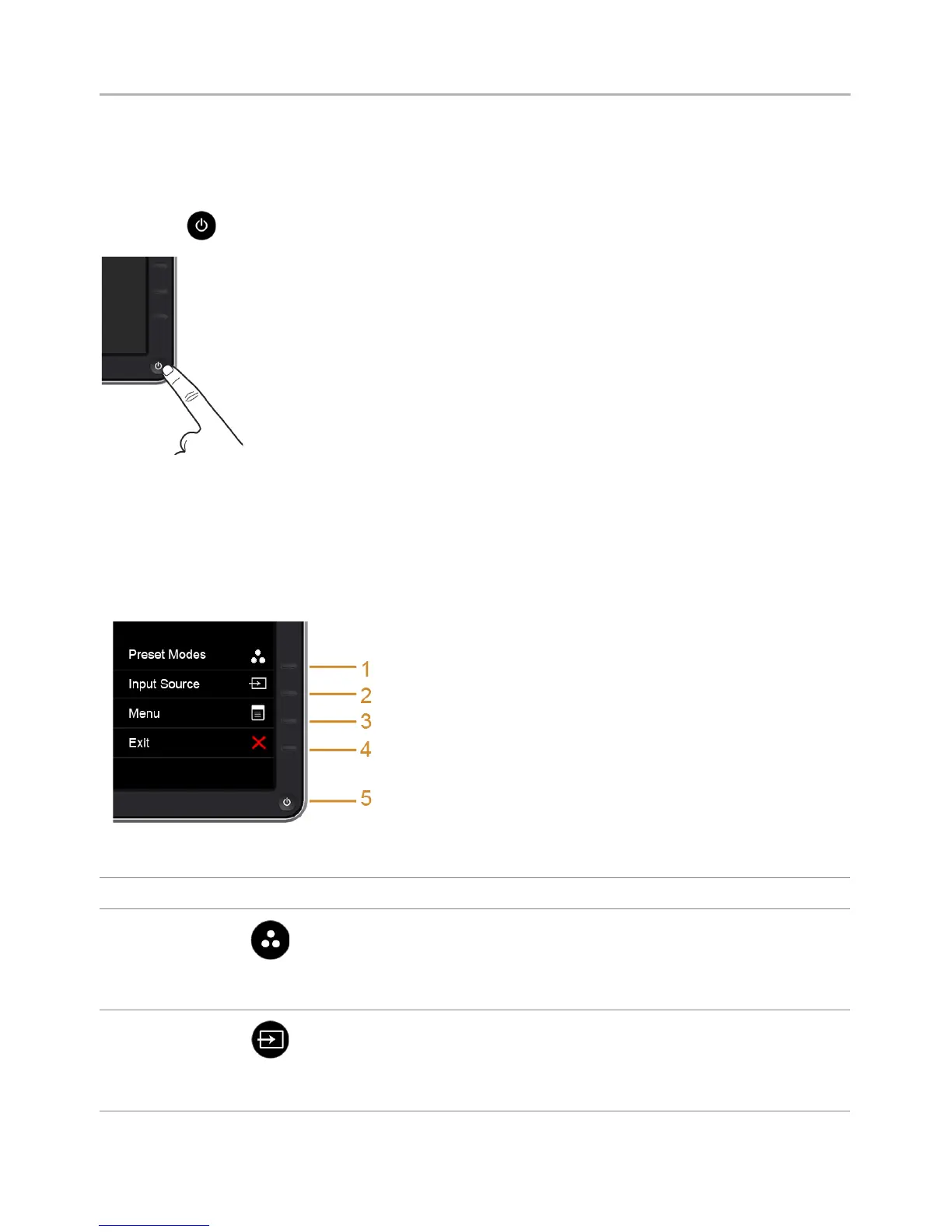
Press the button to turn On the monitor.
Using the Front Panel Controls
Use the control buttons on the front of the monitor to adjust the characteristics of the
image being displayed. As you use these buttons to adjust the controls, an OSD shows
the numeric values of the characteristics as they change.
The following table describes the front panel buttons:
Front Panel Button Description
1
Shortcut key/
Preset Modes
Use this button to choose from a list of preset color modes.
2
Shortcut key/
Input Source
Use this button to directly access the Input Source menu.


 To Next Page