32 │ Setting up the monitor
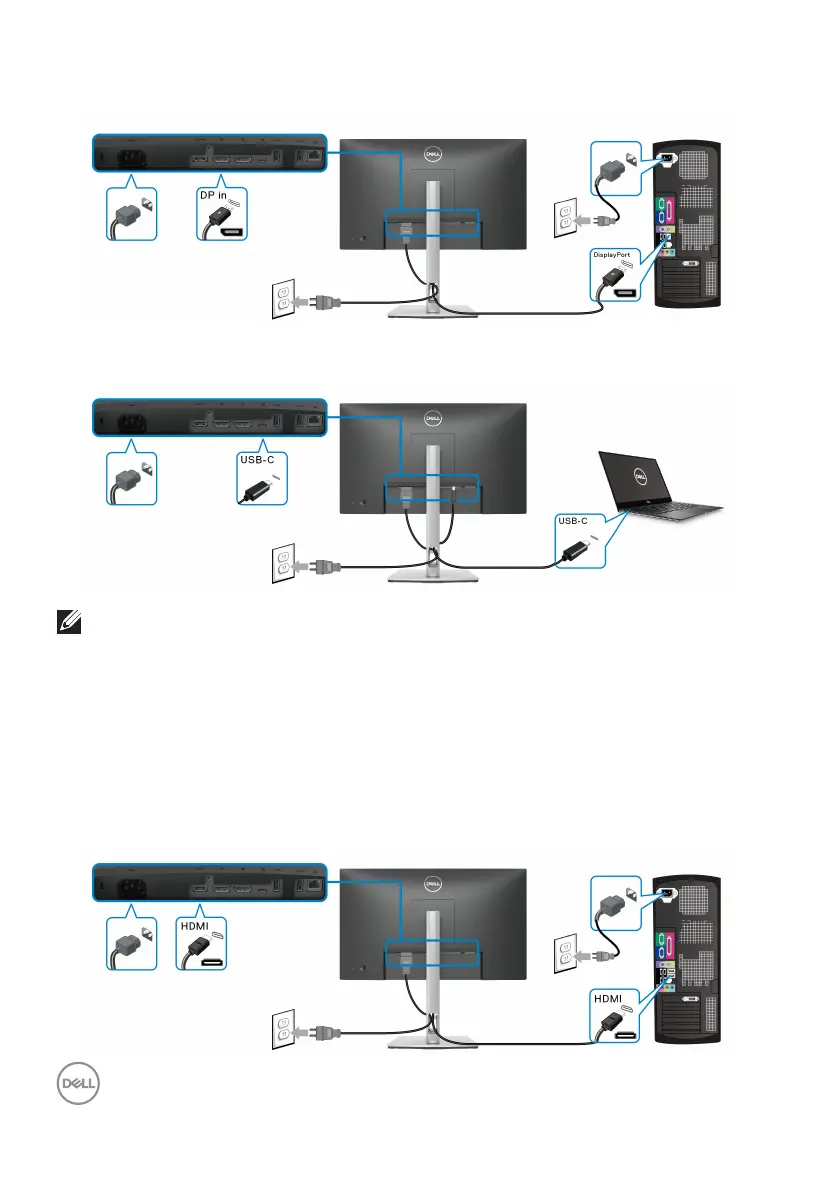
Connecting the DisplayPort (DisplayPort to DisplayPort) cable
Connecting the USB Type-C cable
NOTE: Use the USB Type-C cable shipped with monitor only.
• This port supports DisplayPort Alternate Mode (DP1.2 standard only).
• The USB Type-C power delivery compliant port (PD Version 3.0) delivers up
to
65 W of power.
• If your notebook requires more than 65 W to operate and the battery is
dr
ained, it may not be powered up or charged with the USB PD port of this
monitor.
Connecting the HDMI cable (optional)



 To Next Page