76 │ Operating the monitor
MST DisplayPort Multi Stream Transport. The default setting
is Off. To enable MST (DP out), select On.
NOTE: W
hen the DisplayPort/USB Type-C cable and
the DP downstream cable are connected, the OSD sets
MST to On automatically. This action will only be done
once after Factory Reset or Reset Display is
selected.
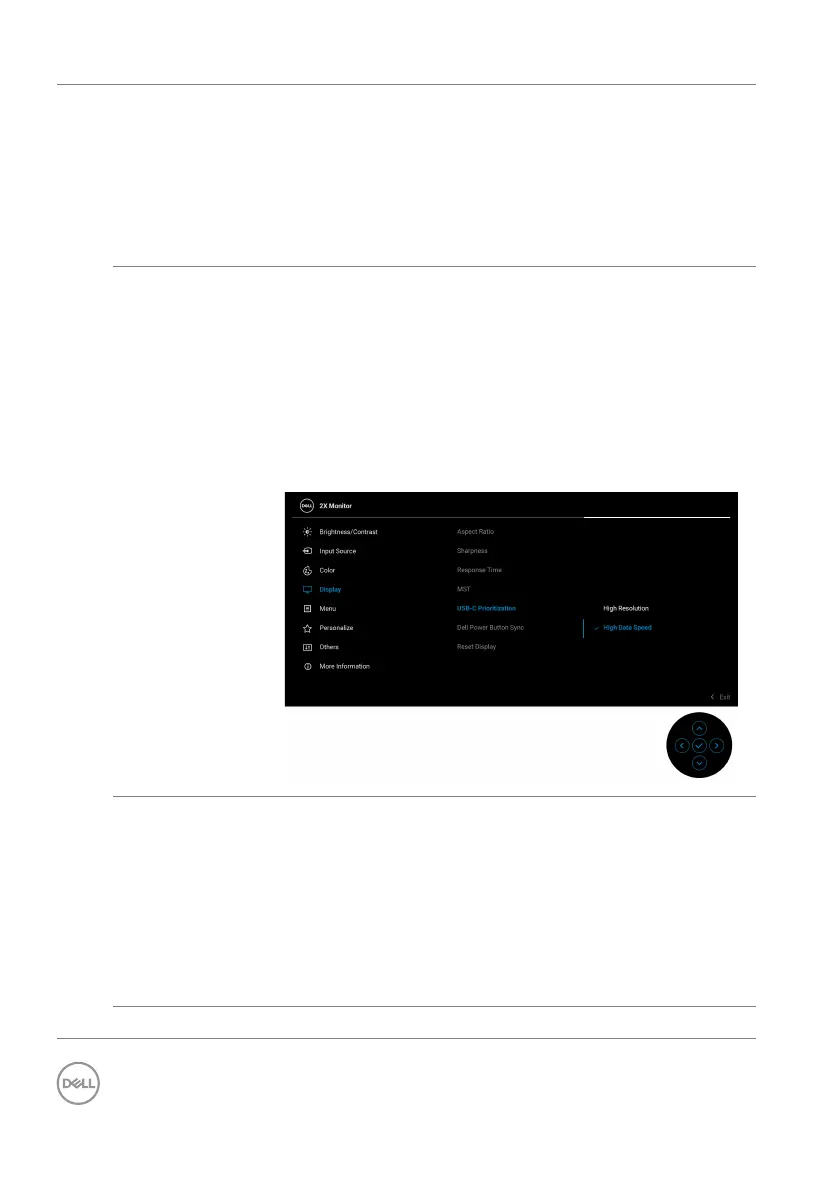
USB-C
Prioritiza
tion
Allows you to specify the priority to transfer the data
with high resolution (High Resolution) or high speed
(High Data Speed) when using the USB Type-C
devices. If the current platform is DP 1.4 (HBR3), use
High Da
ta Speed to access full video performance
with
high data speed. If the current platform is DP 1.2
(HBR2) or below, select High R
esolution for
accessing full video performance with data and network
speed drop.
Dell Power
Button Sync
Allows you to control PC system power state from the
monitor power button.
NOTE: W
hen Off is selected, the Wake-on-Connect
function remains active. When USB-C connection is
detected, the computer will be turned on.
NOTE: This fun
ction is only supported with Dell
platform which has built-in DPBS function, and is only
supported over USB-C interface.
Reset Display Resets all display settings to the factory preset values.



 To Next Page