Operating the monitor | 33
Operating the monitor
Enable Menu Voice Function
This is an accessibility feature for people who are visually impaired.
This feature can also be disabled in the Main Menu.
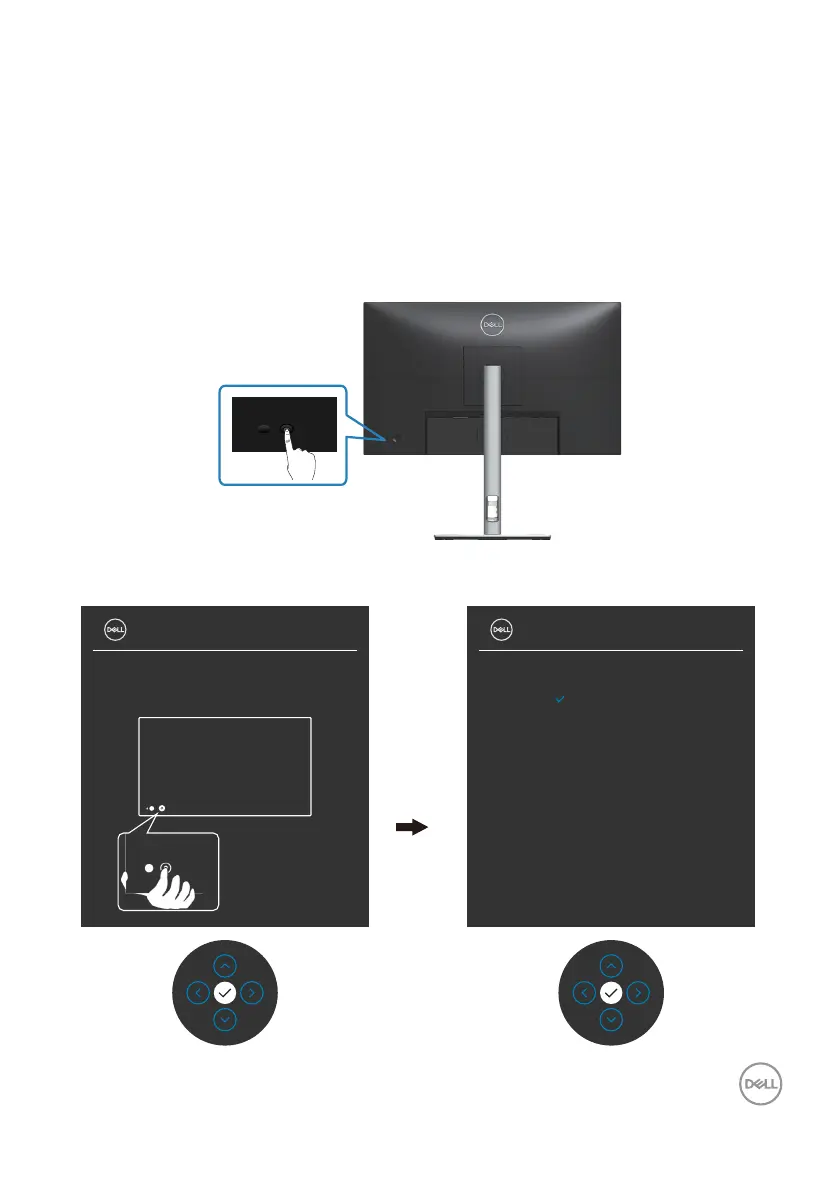
1. Press the Power button to turn on the monitor.
2. Use the Joystick as shown below to navigate through the Easy Initial Setup.
Press the Joystick to enter.
3. Follow the steps in the Easy Initial Setup shown on screen to enable the Menu
Voice function.
27 Monitor 27 Monitor
English
Español
Français
Deutsch
Português (Brasil)
Русский
简体中文
日本語
Please select:



 To Next Page