Operating the monitor | 41
Icon Menu and
Submenus
Description
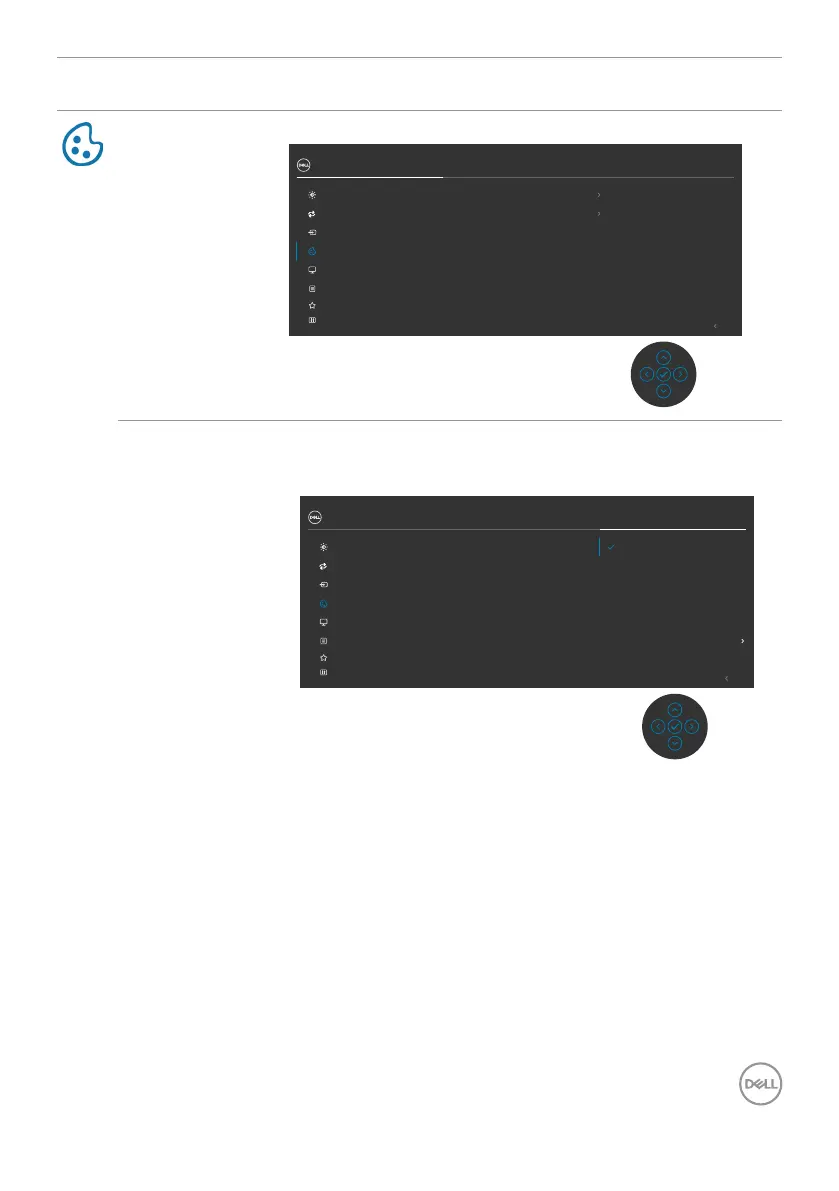
Color Use the Color menu to adjust the color setting mode.
Exit
27 Monitor
Display
Menu
Input Source
Color
Personalize
Others
Brightness/Contrast
Auto Adjust
Input Color Format
Reset Color
Preset Modes
RGB
Standard
Preset Modes When you select Preset Modes, you can choose
Standard, Movie, Game, Warm, Cool or Custom
Color from the list.
Exit
27 Monitor
Display
Menu
Input Source
Color
Personalize
Others
Brightness/Contrast
Auto Adjust
Input Color Format
Preset Modes
Reset Color
Standard
Movie
Game
Warm
Cool
Custom Color
•Standard: Default Color setting, This monitor uses a
low blue light panel, and is certied by TUV to reduce
blue light output and create a more relaxing and less
stimulating image while reading content on the screen.
•Movie: Ideal for movies.
•Game: Ideal for most gaming applications.
•Warm: Increases the color temperature. The screen
appears warmer with a red/yellow tint.
•Cool: Decreases the color temperature. The screen
appears cooler with a blue tint.
•Custom Color: Allows you to manually adjust the color
settings. Press the joystick left and right buttons to
adjust the Red, Green, and Blue values and create your
own preset color mode.



 To Next Page