Setting Up the Monitor | 33
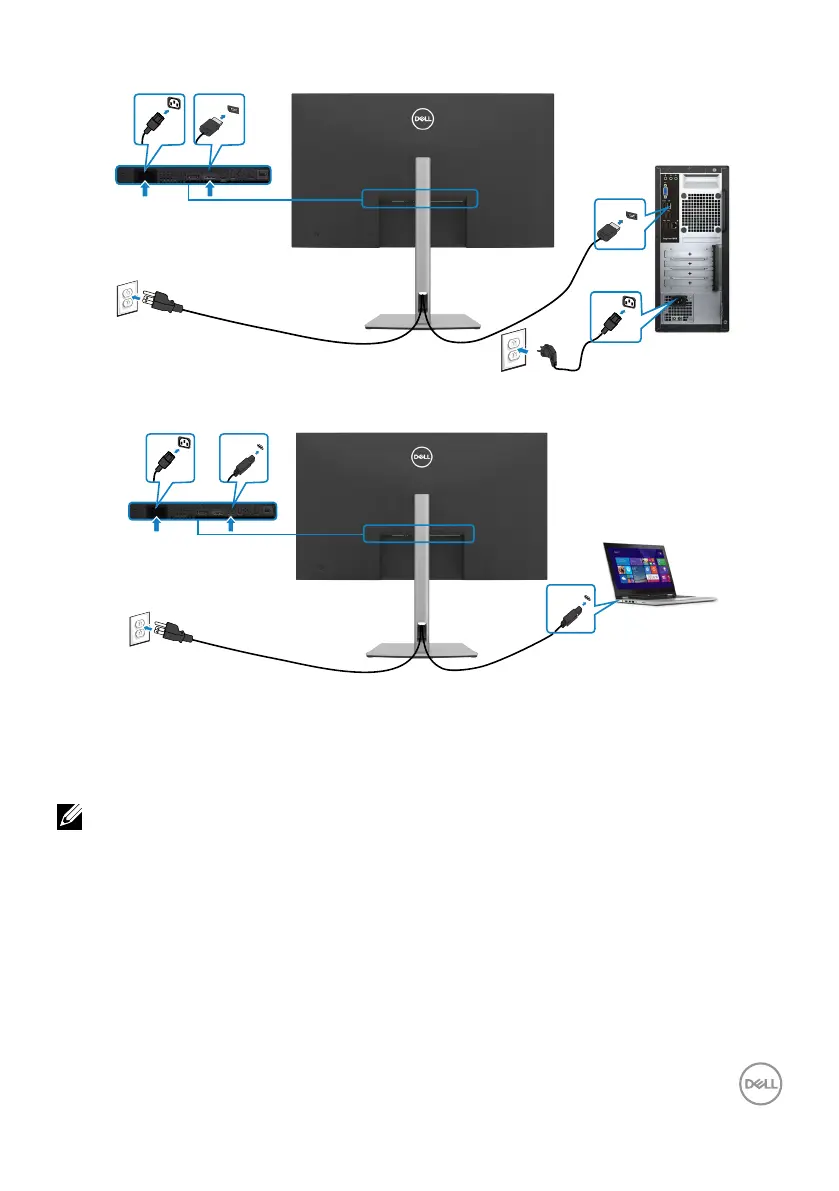
Connecting the DP Cable
DP
DP
Connecting the USB Type-C
®
Cable (C to C)
USB Type-C
USB Type-C
The USB-C port on your monitor:
• Can be used as USB-C or DisplayPort 1.4, alternatively.
• Supports USB Power Delivery (PD), with profiles up to 90W.
NOTE: Regardless of the power requirement/actual power consumption
of your laptop, or the remaining power runtime in your battery, the Dell
P3223QE monitor is designed to supply power delivery of up to 90W to
your laptop.



 To Next Page