32 │ Setting up the monitor
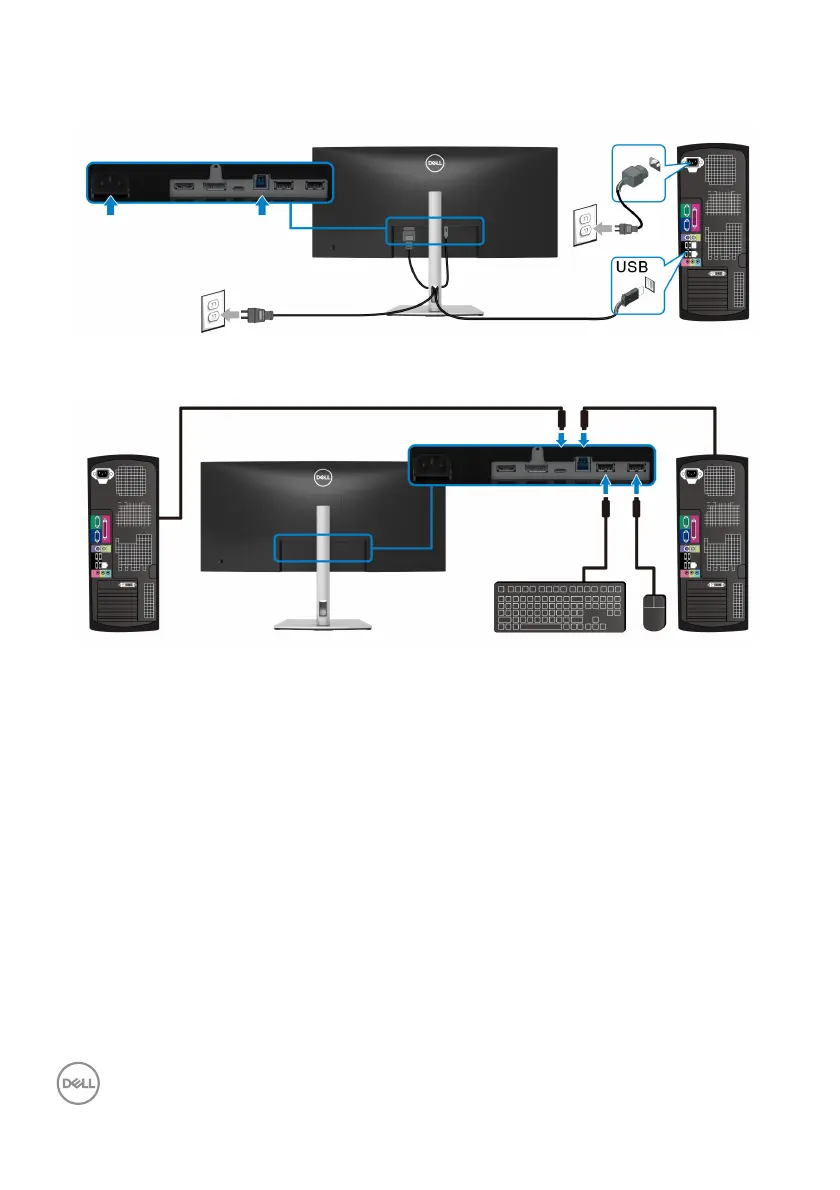
3. Plug the power cables for your computer(s) and monitor into a nearby outlet.
a. Connect one computer
b. Connect two computers
*When connecting two computers to the
monitor, configure the USB settings from
the OSD menu to share a single set of keyboard and mouse connected to the
monitor between two computers. See USB and Setting the KVM switch for
details.
4. T
urn On the monitor and the computer(s).
If your monitor displays an image, installation is complete. If it does not display
an image
, see Common problems.



 To Next Page