Operating the monitor │ 41
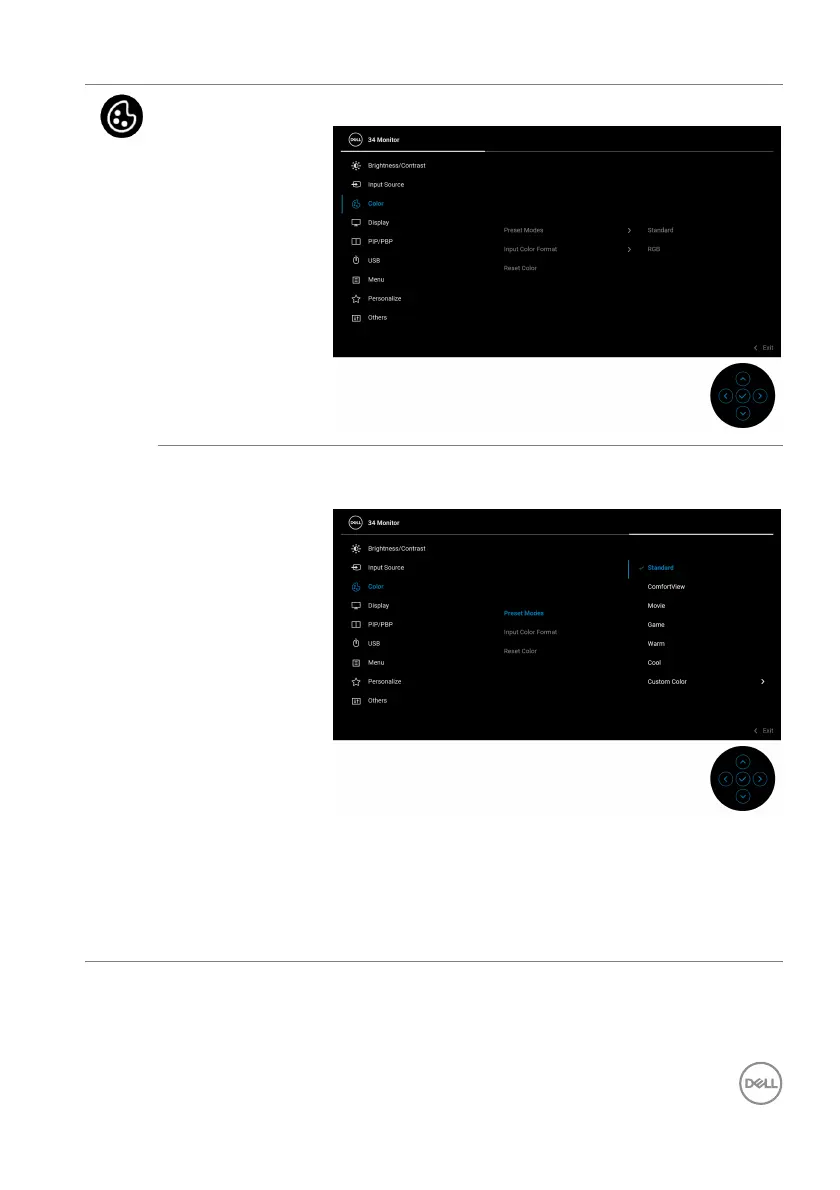
Color Use Color to adjust the color setting mode.
Preset Modes Allows you to choose from the list of preset color
modes. Press the joystick to confirm the selection.
• Standard: Loads the monitor's default color
settings. This is the default preset mode.
• Comf
ortView: Decreases the level of blue light
emitted from the screen to make viewing more
comfortable for your eyes.



 To Next Page