32 Using Your Projector
Installation instructions for Mac
1
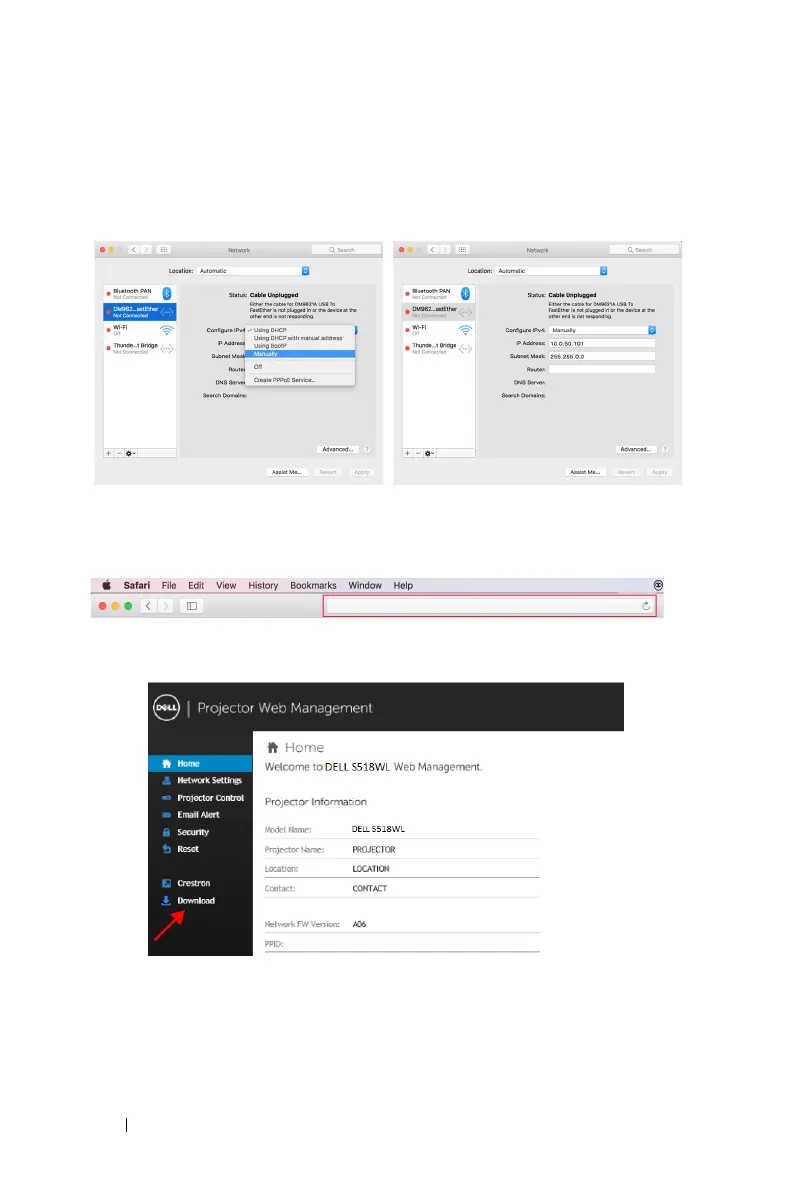
Open Local Area Connection Properties, and then enter the IP Address and
Subnet Mask, click OK.
Steps: Go > Applications > System Preferences > Network
2
Open the Safari browser on your Mac computer, and enter
10.0.50.100
(default) in the browser's address bar. You will be directed to the
Dell
P519HL Web Management
page.
3
The P519HL web management page opens (may refer to below example).
For first-time use, click
Download
.


 To Next Page