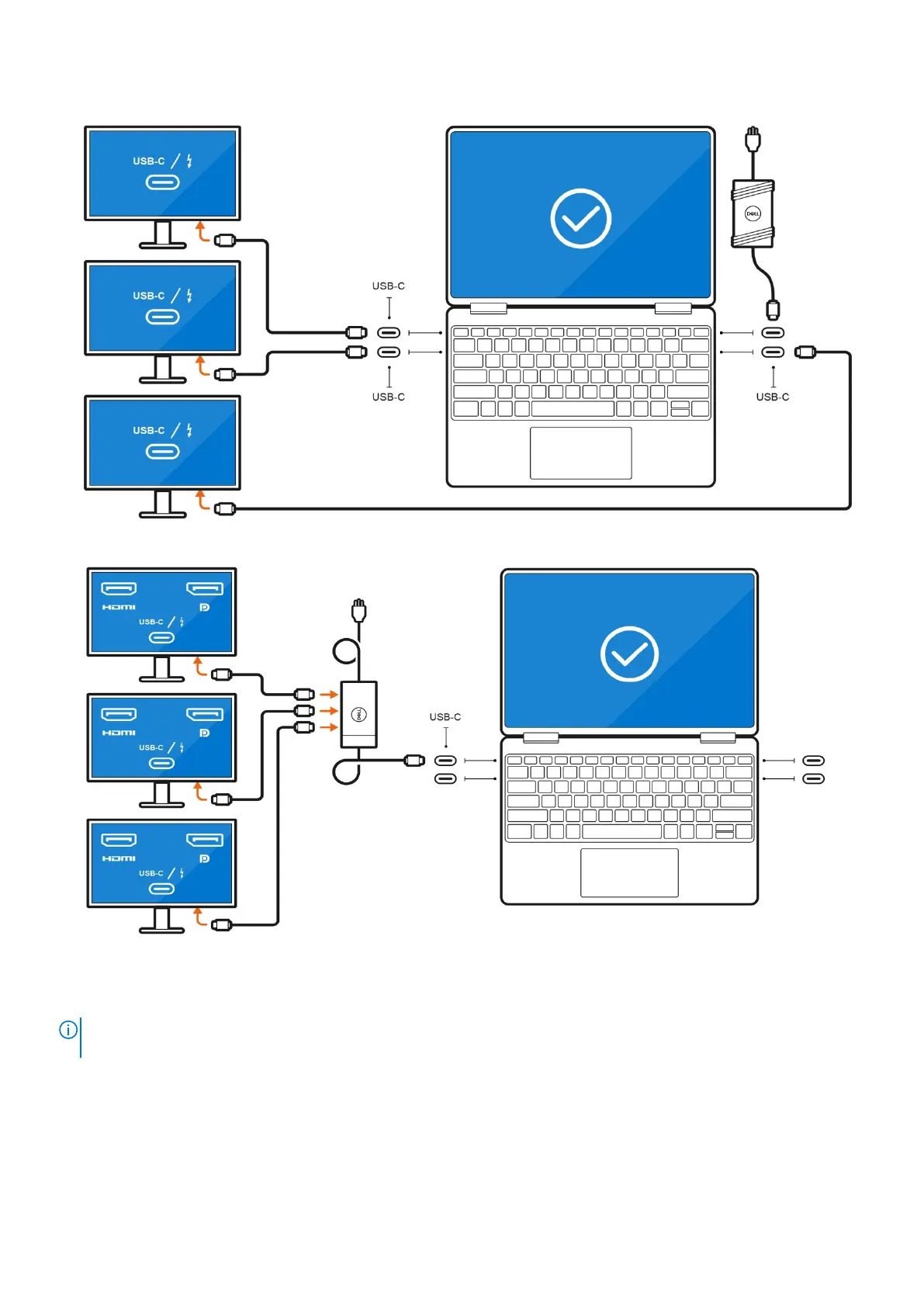
● Connect up to three external displays using direct USB-C or Thunderbolt cables:
● Connect up to three external displays using a USB-C docking station:
With the internal display turned off
NOTE:
Ensure that you turn off the computer's internal display before connecting the external displays. For more
information, see Turn off the internal display .
You can connect up to four external displays directly to Thunderbolt 4 (USB-C) ports.
Connect external displays
9





 To Next Page