Views of Inspiron 5480
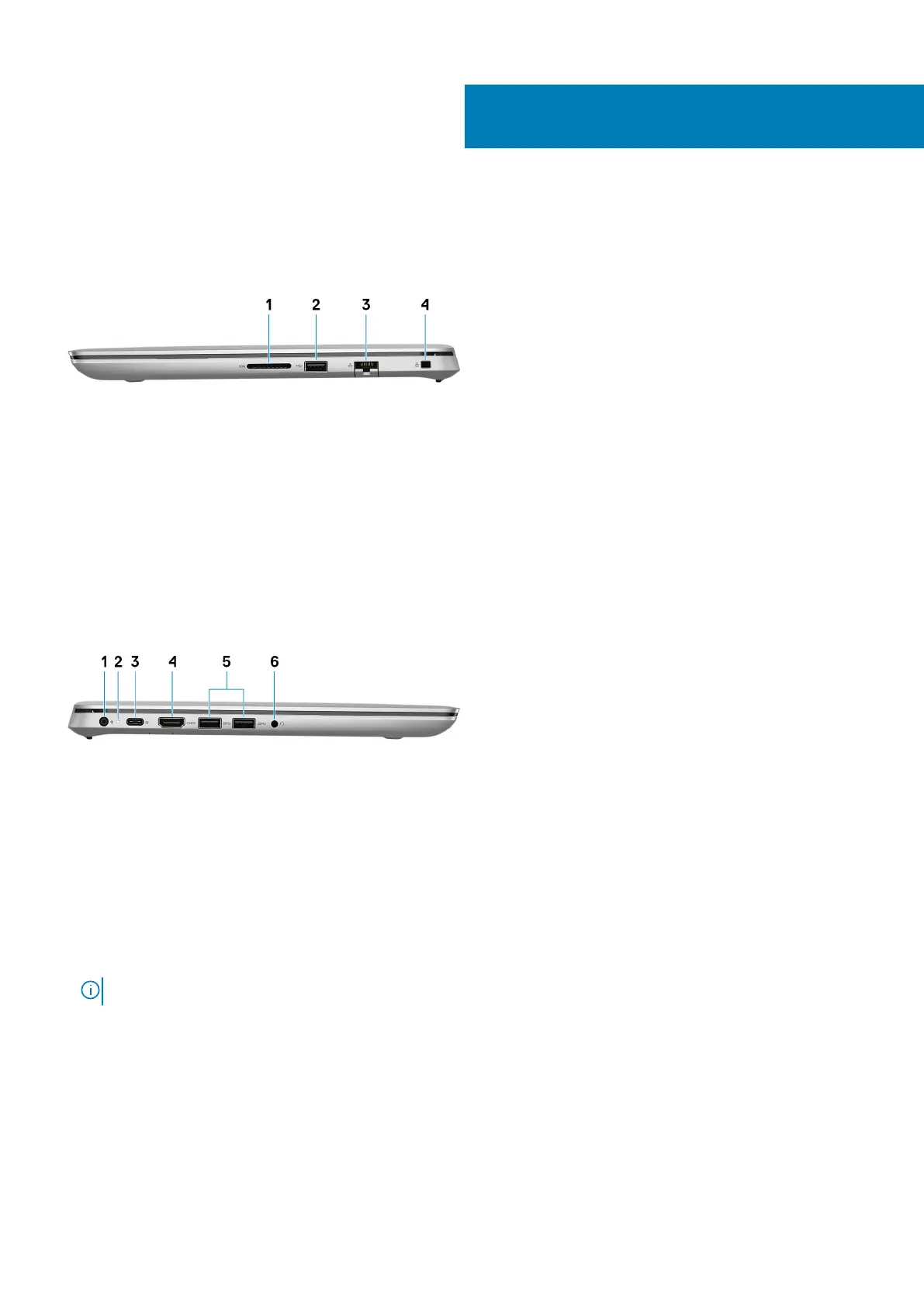
Right
1. SD-card slot
Reads from and writes to the SD card.
2. USB 2.0 port
Connect peripherals such as external storage devices and printers. Provides data transfer speeds up to 480 Mbps.
3. Network port
Connect an Ethernet (RJ45) cable from a router or a broadband modem for network or Internet access.
4. Security-cable slot (for Noble locks)
Connect a security cable to prevent unauthorized movement of your computer.
Left
1. Power-adapter port
Connect a power adapter to provide power to your computer.
2. Power and battery-status light
Indicates the power state and battery state of the computer.
Solid white—Power adapter is connected and the battery is charging.
Solid amber—Battery charge is low or critical.
Off—Battery is fully charged.
3. USB 3.1 Gen 1 (Type-C) port/DisplayPort
Connect peripherals such as external storage devices, printers, and external displays. Provides data transfer speeds up to 5 Gbps.
NOTE: A USB Type-C to DisplayPort adapter (sold separately) is required to connect a DisplayPort device.
4. HDMI port
Connect to a TV or another HDMI-in enabled device. Provides video and audio output.
5. USB 3.0 ports (2)
Connect peripherals such as external storage devices and printers. Provides data transfer speeds up to 5 Gbps.
6. Headset port
Connect headphones or a headset (headphone and microphone combo).
3
Views of Inspiron 5480 7



 To Next Page