12 Quick Reference Guide
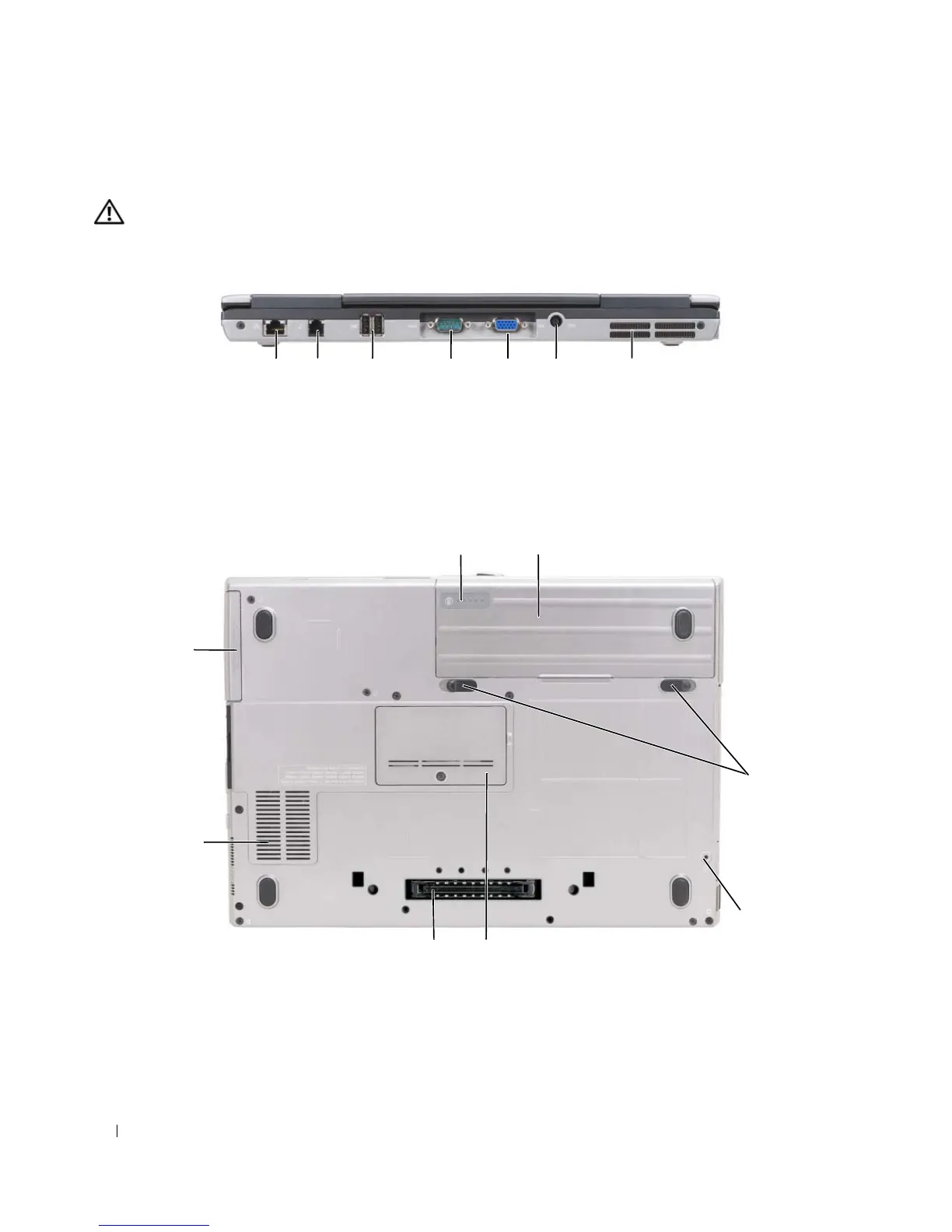
Back View
CAUTION: Do not block, push objects into, or allow dust to accumulate in the air vents. Do not store your
computer in a low-airflow environment, such as a closed briefcase, while it is running. Restricting the airflow
can damage the computer or cause a fire.
Bottom View
1 network connector (RJ-45) 2 modem connector (RJ-11) 3 USB connectors (2)
4 serial connector 5 video connector 6 AC adapter connector
7 air vents
1 battery charge gauge/health gauge 2 battery 3 battery-bay latch
releases (2)
4 device locking screw (if present) 5 memory module cover 6 docking device
connector
7 air vents 8 hard drive
1 2 63 4 75
7
6
1
5
2
8
3
4











 To Next Page