EasyManua.ls Logo

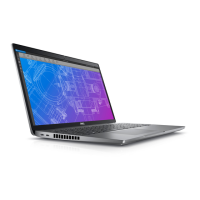
Dell Precision 3561 X2CND - User Manual

Dell Precision 3561 X2CND
117 pages
Print Icon
To Next Page IconTo Next Page
Loading...
Precision 3561
Service Manual
Regulatory Model: P104F
Regulatory Type: P104F003/P104F004
August 2021
Rev. A02
Questo manuale d’istruzione è fornito da trovaprezzi.it. Scopri tutte le offerte per Dell Precision 3561
X2CND o cerca il tuo prodotto tra le migliori offerte di Notebook

Table of Contents

Questions and Answers

  • K
    Kelly SosaAug 10, 2025
    What to do if my Dell Precision 3561 X2CND battery is swollen?
    • B
      barneskatieAug 10, 2025
      If you notice a swollen battery in your Dell Laptop: * Discontinue using the laptop. * Disconnect the AC adapter and allow the battery to drain to prevent further damage to the device or internal components. Swollen batteries should not be used and should be replaced and disposed of properly. It is recommended to contact Dell product support for options to replace a swollen battery under warranty or service contract, including options for replacement by a Dell authorized service technician.
  • R
    Ryan SchaeferAug 15, 2025
    What to do if my Dell Laptop has Memory / RAM failure?
    • J
      James MorrisonAug 15, 2025
      If your Dell Laptop experiences a memory or RAM failure, try these steps: * Reset and swap the memory modules among the slots. If the problem continues, replace the memory module.
  • H
    Heather GordonAug 20, 2025
    What to do if my Dell Precision 3561 X2CND has Invalid memory installed?
    • B
      bradshawsharonAug 20, 2025
      If your Dell Laptop indicates that invalid memory is installed, try resetting and swapping the memory modules between the slots. If the issue persists, you may need to replace the memory module.
  • S
    Stephanie GreeneAug 25, 2025
    What to do if my Dell Precision 3561 X2CND has No Memory / RAM detected?
    • D
      Douglas HuntAug 25, 2025
      If your Dell Laptop is not detecting memory or RAM, first confirm that the memory module is installed properly. If the problem continues, replace the memory module.
  • Z
    zmartinAug 29, 2025
    How to fix CMOS battery failure in Dell Precision 3561 X2CND?
    • C
      Christopher MooreAug 29, 2025
      To address a CMOS battery failure in your Dell Laptop, reset the CMOS battery connection. If the problem persists, replace the RTC battery.
  • L
    lopezjacquelineSep 3, 2025
    How to resolve a power rail failure on a Dell Laptop?
    • A
      alexander24Sep 3, 2025
      To resolve a power rail failure on your Dell Laptop, replace the system board.

Dell Precision 3561 X2CND Specifications

General IconGeneral
Battery6-cell 97 Whr
ProcessorIntel Core i7-11850H
Display15.6-inch FHD (1920 x 1080)
GraphicsNVIDIA T1200
Operating SystemWindows 10 Pro
WeightStarting at 1.79 kg
Ports2x USB 3.2 Gen 1, 2x Thunderbolt 4, 1x HDMI 2.0, 1x RJ-45, Audio Jack
WirelessIntel Wi-Fi 6 AX201, Bluetooth 5.1

Related product manuals