EasyManua.ls Logo

Dell Precision 3540 - User Manual

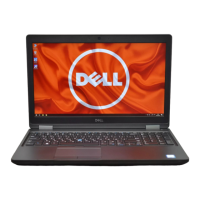
Dell Precision 3540
135 pages
Print Icon
To Next Page IconTo Next Page
Loading...
Dell Precision 3540
Service Manual
Regulatory Model: P80F
Regulatory Type: P80F001
September 2021
Rev. A04

Table of Contents

Other manuals for Dell Precision 3540

Questions and Answers

  • M
    Manuel HarrisJul 28, 2025
    What to do if Dell Precision 3540 battery is swollen?
    • J
      johnholmesJul 28, 2025
      If your Dell Laptop's lithium-ion battery is swollen due to age, charge cycles, or heat exposure, stop using the laptop to prevent damage to the enclosure or internal parts. Disconnect the AC adapter and let the battery drain. Swollen batteries should not be used and should be replaced and disposed of properly. Contact Dell product support for battery replacement options under your warranty or service contract.

Summary

Working on Your Computer

Safety Instructions

Guidelines for safe computer operation and service procedures.

Safety Precautions

Measures to prevent damage or injury during system disassembly/reassembly.

Electrostatic Discharge-ESD Protection

Methods to prevent damage from static electricity to sensitive components.

Disassembly and Reassembly

Battery

Procedures for handling and replacing the system's Lithium-ion battery.

System Board

Steps for removing and installing the main motherboard.

BIOS Setup

Troubleshooting

Handling Swollen Lithium-ion Batteries

Safety guidelines and procedures for dealing with swollen batteries.

Dell Precision 3540 Specifications

General IconGeneral
Operating SystemWindows 10 Pro
GraphicsAMD Radeon Pro WX 2100
Display15.6-inch FHD (1920 x 1080)
RAMDDR4
StorageSSD
Battery4-cell 68Whr
PortsHDMI, RJ-45, SD card reader
WirelessIntel Dual Band Wireless AC 9560
Processor8th Generation Intel Core i5/i7/i9

Related product manuals