EasyManua.ls Logo

Dell Precision 3680 Tower - User Manual

Dell Precision 3680 Tower
133 pages
Print Icon
To Next Page IconTo Next Page
Loading...
Precision 3680 Tower
Owner's Manual
Regulatory Model: D30M
Regulatory Type: D30M001
March 2024
Rev. A00

Table of Contents

Questions and Answers

  • S
    Scott JenkinsAug 15, 2025
    What to do if my Dell Desktop has a system board failure?
    • A
      Andrew GonzalezAug 16, 2025
      If your Dell Desktop is experiencing a system board, chipset, clock, Gate A20, Super I/O, or keyboard controller failure, the suggested solution is to contact Dell with the error code and validation number for assistance.
  • D
    Daniel BurkeAug 18, 2025
    What to do if there is a CPU failure on my Dell Precision 3680 Tower Desktop?
    • J
      John YoungAug 18, 2025
      If your Dell Desktop is showing a CPU failure, it is recommended to contact Dell with the error code and validation number.
  • D
    Danielle ArnoldAug 21, 2025
    What to do if Dell Precision 3680 Tower Desktop has memory/RAM failure?
    • B
      briana14Aug 21, 2025
      If your Dell Desktop has a memory/RAM failure, the suggested solution is to contact Dell with the error code and validation number.
  • M
    Mrs. Christy Johnson DVMAug 25, 2025
    What to do if my Dell Precision 3680 Tower Desktop has PCI or Video card/chip failure?
    • S
      Scott HillAug 25, 2025
      If your Dell Desktop has a PCI or video card/chip failure, it is recommended to contact Dell with the error code and validation number.
  • R
    richardlittleAug 27, 2025
    What to do if BIOS recovery image is not found on Dell Desktop?
    • W
      William SmithAug 28, 2025
      If the BIOS recovery image is not found on your Dell Desktop, contact Dell with the error code and validation number.
  • T
    Traci ObrienAug 30, 2025
    What to do if Dell Desktop has invalid memory installed?
    • D
      derrickoliverAug 31, 2025
      If your Dell Desktop has invalid memory installed, it is recommended to contact Dell with the error code and validation number.
  • C
    Crystal ParkerSep 2, 2025
    What to do if BIOS recovery image found but invalid on Dell Desktop?
    • L
      Lindsey CastroSep 3, 2025
      If the BIOS recovery image found on your Dell Desktop is invalid, contact Dell with the error code and validation number.
  • C
    Carly NewmanSep 5, 2025
    What to do for system board failure on Dell Precision 3680 Tower?
    • A
      Antonio BridgesSep 6, 2025
      If your Dell Desktop is experiencing a system board failure, including BIOS corruption or a ROM error, contact Dell with the error code and validation number.
  • N
    Nathan LeeSep 8, 2025
    What to do if Intel ME (Management Engine) error appears on Dell Desktop?
    • G
      Gregory BrownSep 9, 2025
      If your Dell Desktop is showing an Intel ME (Management Engine) error, contact Dell with the error code and validation number.
  • D
    Denise GutierrezSep 12, 2025
    What to do if there is CPU Power Cable Connection Issue on Dell Precision 3680 Tower?
    • E
      Emily BrownSep 12, 2025
      If there is a CPU power cable connection issue with your Dell Desktop, contact Dell with the error code and validation number.

Summary

Precision 3680 Tower Views

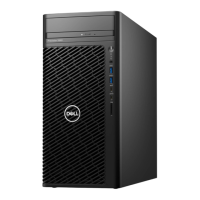
Front View

Details the front view of the computer, including ports and buttons.

Back View

Details the back view of the computer, including ports and slots.

Setting Up Your Precision 3680 Tower

Initial Setup Steps

Instructions for connecting peripherals and powering on the system.

Precision 3680 Tower Specifications

Dimensions and Weight

Lists the physical height, width, depth, and weight of the computer.

Processor and Chipset Details

Details supported processors, chipset, and their specifications.

Memory, Storage, and Ports

Details memory, storage options, and external/internal ports.

Graphics, Security, and Environment

Details GPU options, hardware security, and environmental specs.

Working Inside Your Computer: Safety and Procedures

Safety Instructions and ESD Protection

General safety guidelines and ESD protection measures for internal work.

Component Handling and Tool Recommendations

Guidelines for handling components and recommended service tools.

Post-Work Procedures and BitLocker

Steps after internal work, including BitLocker considerations.

Replacing Customer Replaceable Units (CRUs)

Side Cover and Front Bezel Replacement

Procedures for replacing the side cover and front bezel.

Hard Drive and SSD Installation

Procedures for installing 3.5-inch HDDs and M.2 SSDs.

WLAN Card and Memory Module Replacement

Procedures for replacing the WLAN card and memory modules.

Power Supply Unit and Component Replacement

Procedures for replacing the power supply unit and related components.

Field Replaceable Unit (FRU) Procedures

Processor and Heat-Sink Assembly

Procedures for removing and installing the processor fan and heat-sink.

Processor and VR Heat Sink Replacement

Procedures for removing and installing the processor and VR heat sink.

Chassis Fan and Power Button Replacement

Procedures for replacing chassis fans and the power button.

System Board Replacement

Procedures for removing and installing the system board.

Software and System Management

Operating Systems and Drivers

Lists supported operating systems and driver information.

System Management Features

Overview of system management capabilities and Dell tools.

BIOS Setup and Updates

Navigating and Configuring BIOS

Instructions for entering, navigating, and configuring BIOS setup.

BIOS Update Procedures

Steps to update the system BIOS via Windows, USB, or F12 menu.

Password and CMOS Management

Information on managing BIOS passwords and clearing CMOS settings.

Troubleshooting and System Recovery

Pre-boot Diagnostics and LED Indicators

Using SupportAssist diagnostics and understanding LED status lights.

Operating System Recovery and RTC Reset

Procedures for recovering the OS and performing an RTC reset.

Backup Options and Wi-Fi Troubleshooting

Options for backup, recovery media, and Wi-Fi troubleshooting.

Getting Help and Contacting Dell

Self-Help Resources

Lists resources for self-help and product information.

Contacting Dell Support

Information on how to contact Dell for sales, technical, or customer service.

Dell Precision 3680 Tower Specifications

General IconGeneral
BrandDell
ModelPrecision 3680 Tower
CategoryDesktop
LanguageEnglish

Related product manuals