3. Install the cover.
4. Follow the procedures in
After Working Inside Your Computer
.
Removing the Front Panel
1. Follow the procedures in
Before Working Inside Your Computer
.
2. Remove the cover.
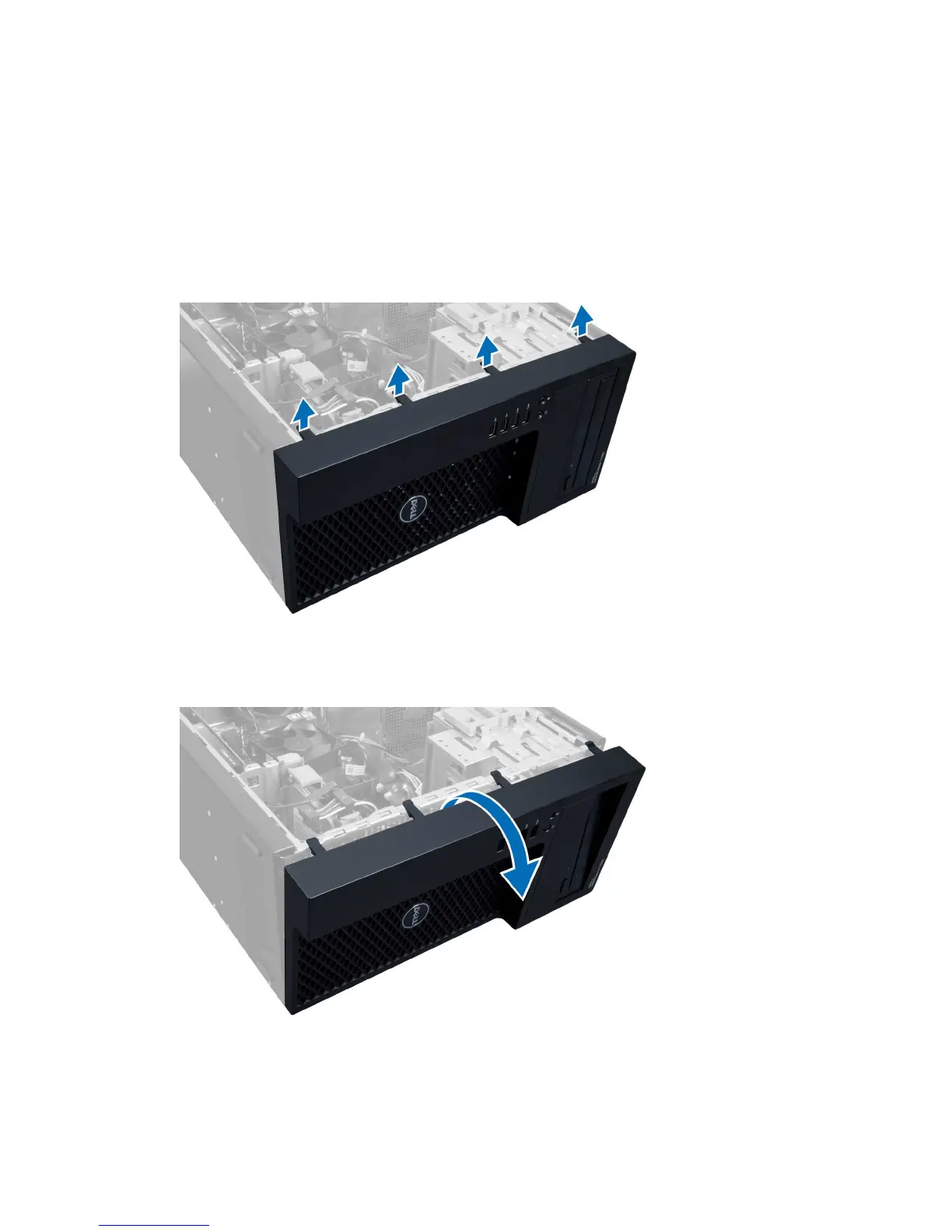
3. Pry the front panel retention clips away from the chassis located at the edge of front panel.
Figure 4.
4. Rotate the front panel away from the computer chassis. Lift the chassis to release the hooks on the other side of
the panel and remove the front panel from the computer.
Figure 5.
9










 To Next Page