Need help?
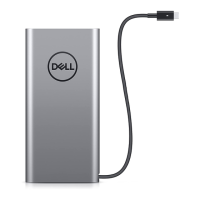
Do you have a question about the Dell PW7018LC and is the answer not in the manual?
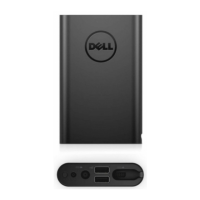
Provides critical safety guidelines to protect the device and ensure personal safety.
Step-by-step instructions for charging the power bank using a Dell adapter.
Connects laptop to power bank for charging via adapter.
Charges a laptop directly from the power bank's battery.
Explains how battery-status lights indicate charge levels.
Lists common issues like overheating, fast draining, and non-responsive lights with solutions.
 General
| Shape | Rectangle |
|---|---|
| Waterproof | No |
| Product color | Silver |
| LED indicators | Yes |
| Compatible products | Latitude 5285 2-in-1 Latitude 5289 2-in-1 Latitude 5290 Latitude 5290 2 In 1 Latitude 5490 Latitude 5590 Latitude 7285 2-in-1 Latitude 7290 Latitude 7389 2-in-1 Latitude 7390 Latitude 7490 XPS 13 9370 |
| Charger compatibility | Mobile phone/Smartphone, Notebook/Netbook, Tablet |
| Number of simultaneously connected devices (max) | 2 |
| Input interface | USB Type-C |
| USB Type-A output ports | 1 |
| Charging source | USB |
| Battery capacity | 19200 mAh |
| Number of charging cycles | - |
| DC output voltage | 5, 9, 15, 20V |
| Port 1 output current | 3.25 A |
| Port 2 output current | 2 A |
| Quantity per pack | 1 pc(s) |
| Harmonized System (HS) code | 85078000 |
 Weight and Dimensions
| Depth | 22 mm |
|---|---|
| Width | 78 mm |
| Height | 162 mm |
| Weight | 480 g |

 To Next Page