Back to Contents Page
Setting Up the Monitor
Dell™ S2240M/S2340M Monitor User's Guide
Attaching the Stand
Connecting Your Monitor
Organizing Your Cables
Removing the Monitor Stand
Attaching the Stand
NOTE: The stand base and stand riser are detached when the monitor is shipped from the factory.
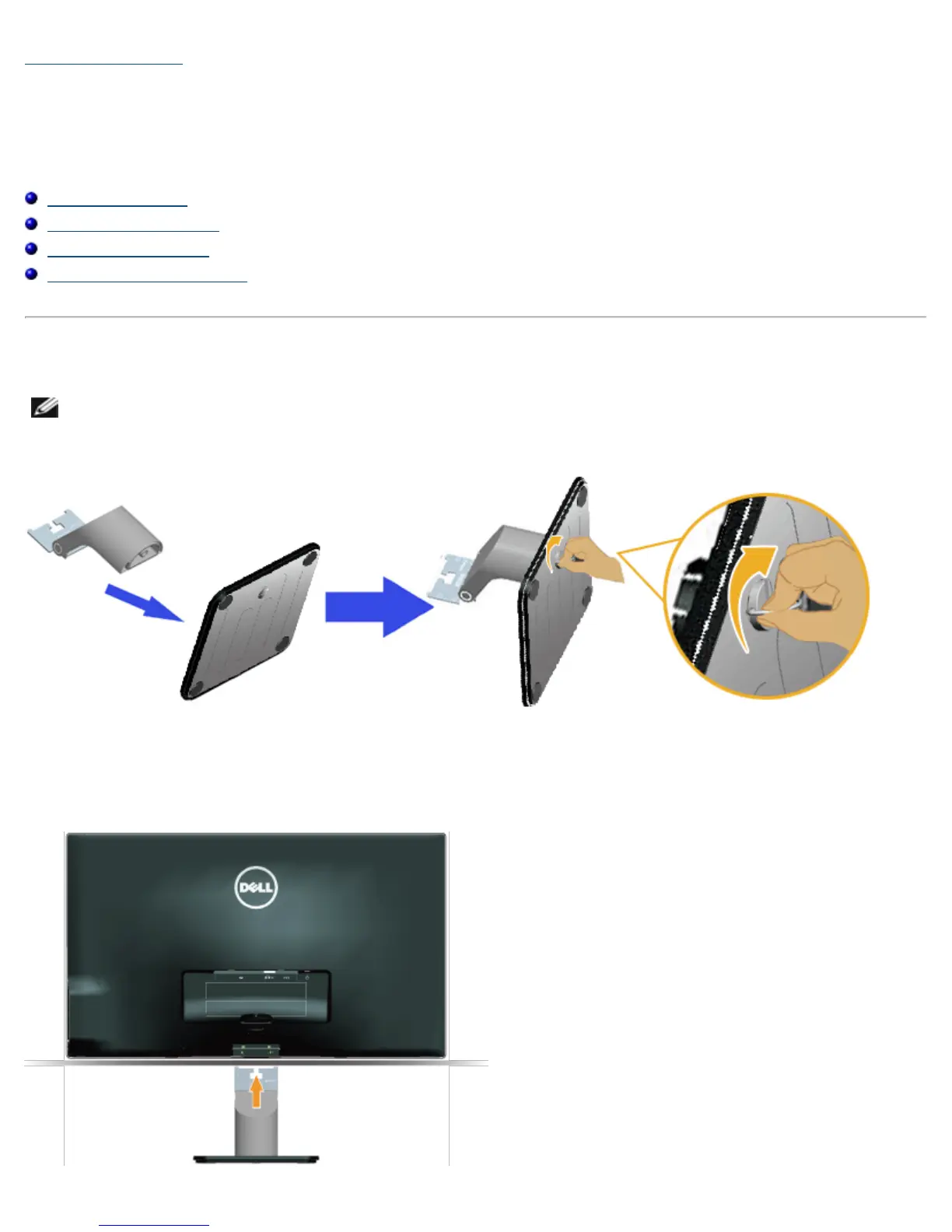
1. Assemble the stand riser to stand base.
a. Attach the stand riser to the stand base.
b. Tighten the screw clockwise located on the base.
2. Attach the stand assembly to the monitor:



 To Next Page