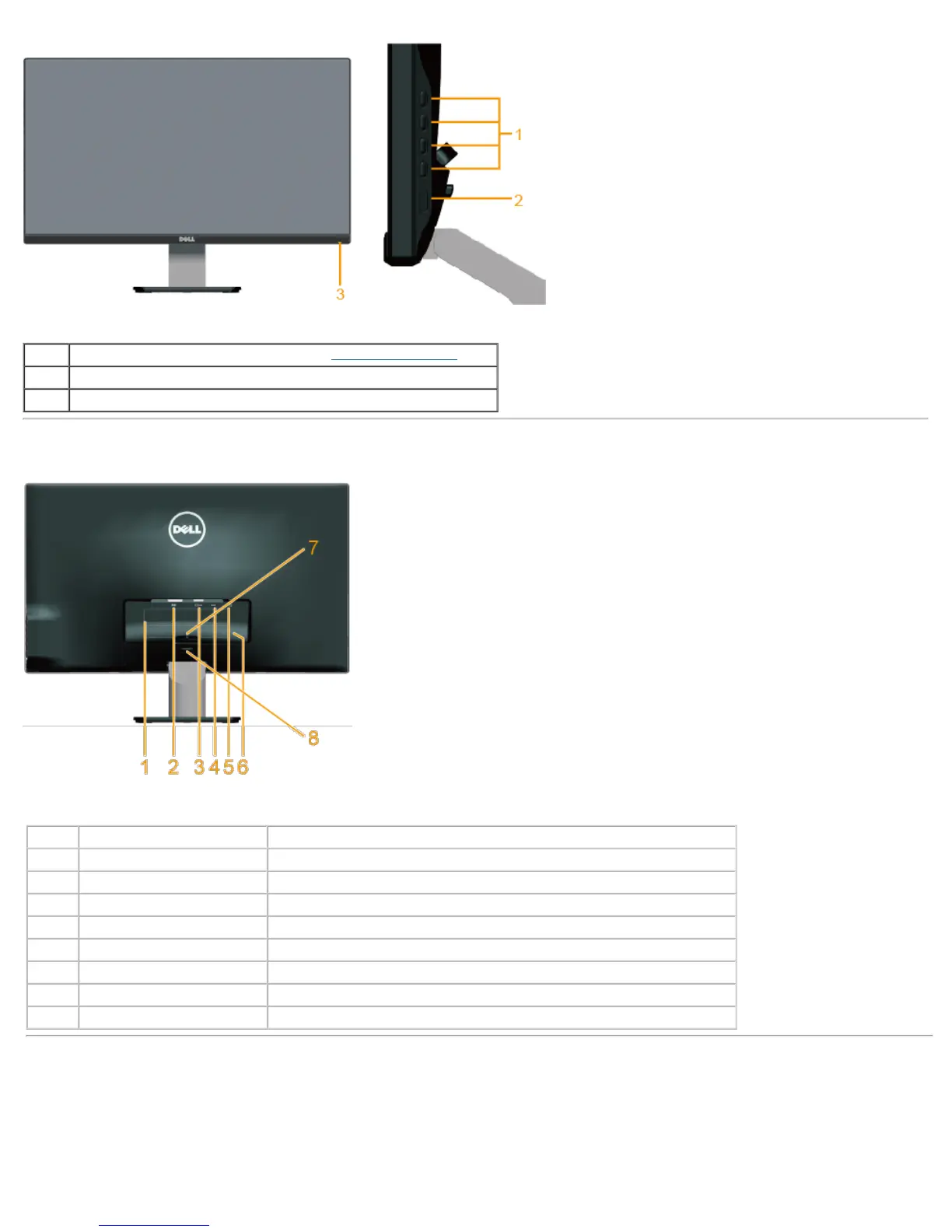
1. Function buttons (For more information, see Operating the Monitor
)
2. Power On/Off button
3. Power LED indicator
Back View
Label Description Use
1 Regulatory rating label Lists the regulatory approvals.
2 DVI connector To connect your computer to the monitor using a DVI cable.
3 VGA connector To connect your computer to the monitor using a VGA cable.
4 Adapter connector To connect the monitor power cable using a 12V DC adapter for transition.
5 Security lock slot Use a security lock with the slot to help secure your monitor.
6 Barcode serial number label Refer to this label if you need to contact Dell for technical support.
7 Cable clip For cable management.
8 Stand release button To release stand from monitor.
Side View



 To Next Page