22 | Operating the monitor
Using the On-Screen Display (OSD) menu
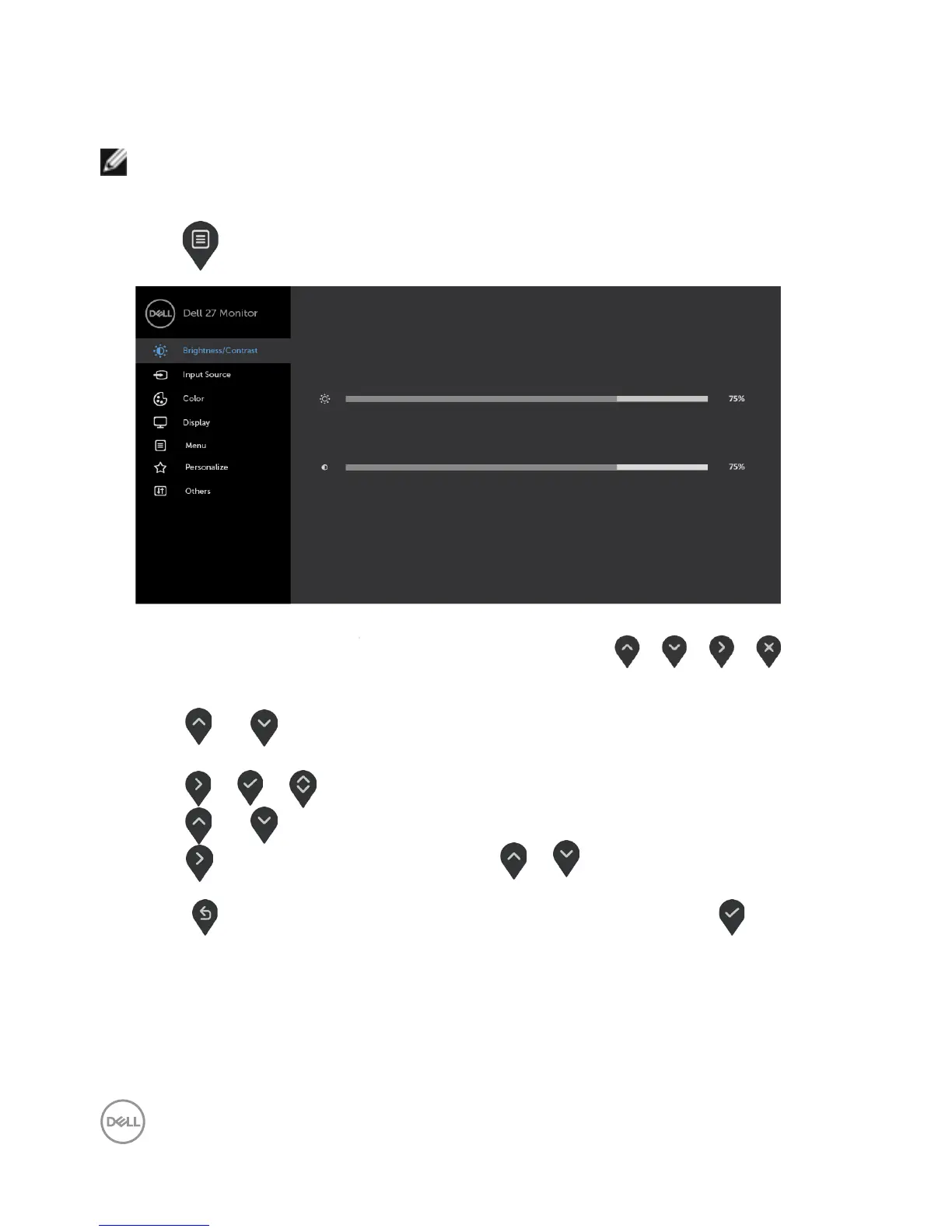
Accessing the menu system
NOTE: Any changes you make using the OSD menu are automatically saved when
youmove to another OSD menu, exit the OSD menu, or wait for the OSD menu
todisappear.
1 Press to launch the OSD menu and display the main menu.
2 Press and to move between options. As you move from one icon to another,
the option name is highlighted.
3 Press or or once to activate the highlighted option.
4 Press and to select the desired parameter.
5 Press to enter the slide bar and then use or , according to the indicators
on the menu, to make your changes.
6 Select to save current setting and return to previous menu or select to accept
and return to previous menu.



 To Next Page