Troubleshooting | 39
Recovery mode for HDMI
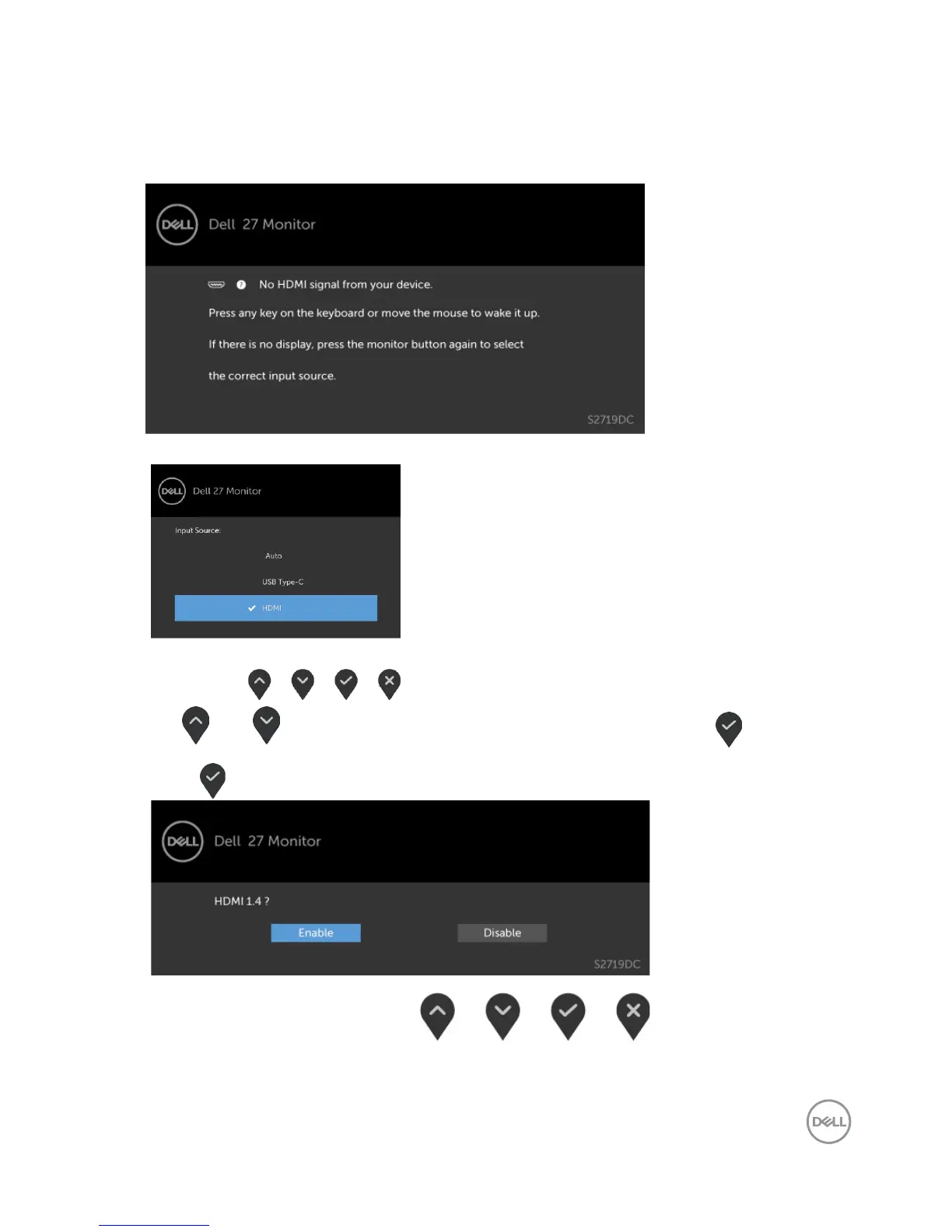
Your monitor provides a HDMI version recovery failsafe mechanism. HDMI switches to
version 2.0 when one of the Smart HDR modes is selected. If the screen goes blank after
switching to HDMI version 2.0, perform the following steps to revert to HDMI version 1.4:
1 Press any of the menu key to wake up the monitor.
2 Press any of the menu key to enter the Input Source select menu.
3 Use and to select the current HDMI port, then press and hold
for 8 seconds to enter the HDMI 1.4 failsafe dialog.
4 Press to enable the HDMI version 1.4.


 To Next Page