34 | Operating the monitor
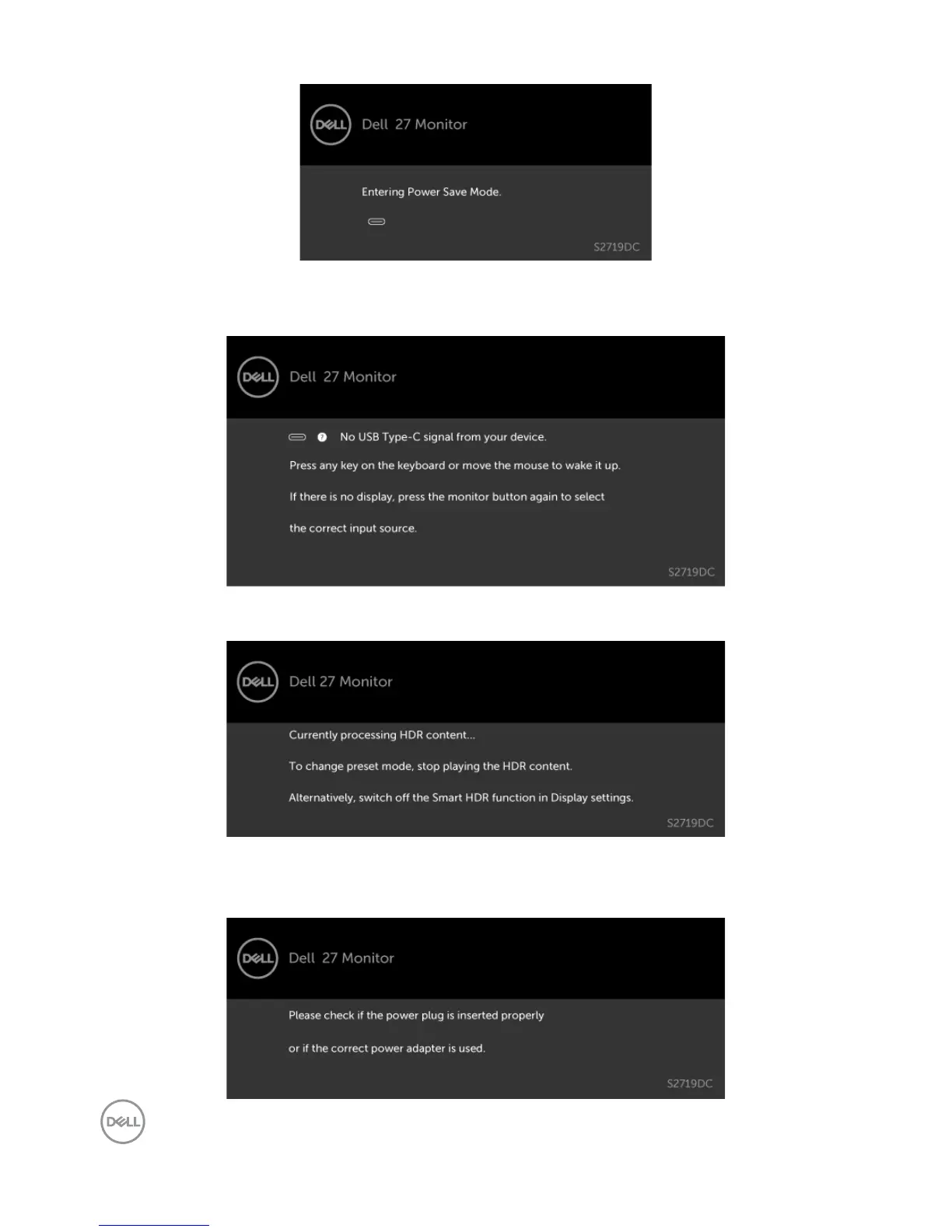
When the monitor enters the Power Save mode, the following message is displayed.
Activate the computer and wake up the monitor to gain access to the OSD.
If you press any button other than the power button, the following messages is displayed
depending on the selected input.
If user tries to change the preset mode when Smart HDR is ON, the following message is
displayed.
When using the wrong Adapter or Adapter connection exception, the following message is
displayed.


 To Next Page