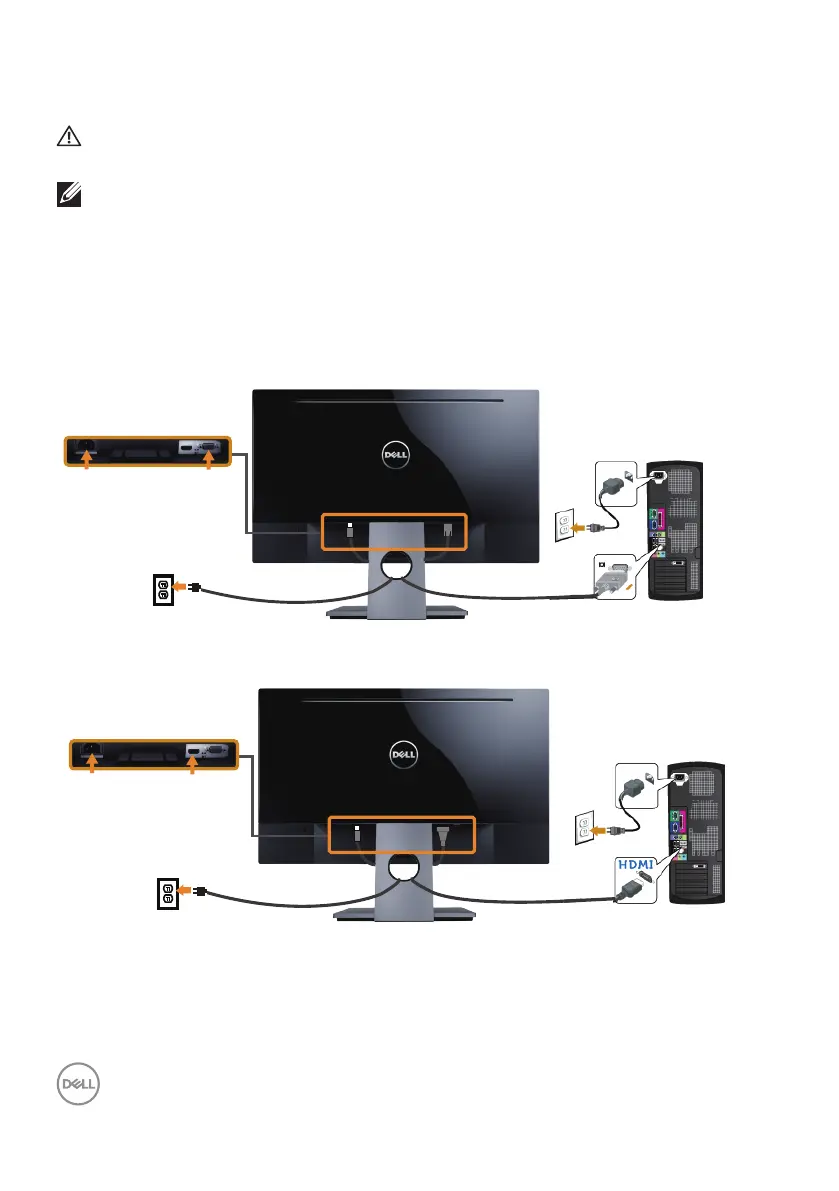
Connecting your monitor
WARNING: Before you begin any of the procedures in this section,
follow the Safety Instructions.
NOTE: Do not connect all cables to the computer at the same time. It
is recommend to route the cables through the cable-management slot
before you connect them to the monitor.
To connect your monitor to the computer:
1. Turn O your computer and disconnect the power cable.
2. Connect the VGA or HDMI cable from your monitor to the computer.
Connecting the VGA cable (sold separately for SE2717HX/SE2717HR)
Connecting the HDMI cable (sold separately for SE2717H)
22 │ Setting up the monitor



 To Next Page