4
Disassembly and reassembly
NOTE:
This “Disassembly and Assembly Procedures” is for EMEA only, not for other regions. Please note that Dell will deem warranty void if any
disassembly is done on the monitors.
Recommended tools
List the type and size of the tools that would typically can be used to disassemble the product to a point where components and materials
requiring selective treatment can be removed.
Tool Description:
−Screwdriver (Phillip-head, Hexagonal head)
−Penknife
Stand
Removing the stand
Prerequisites
1. Follow the procedure in Before working inside your monitor.
Steps
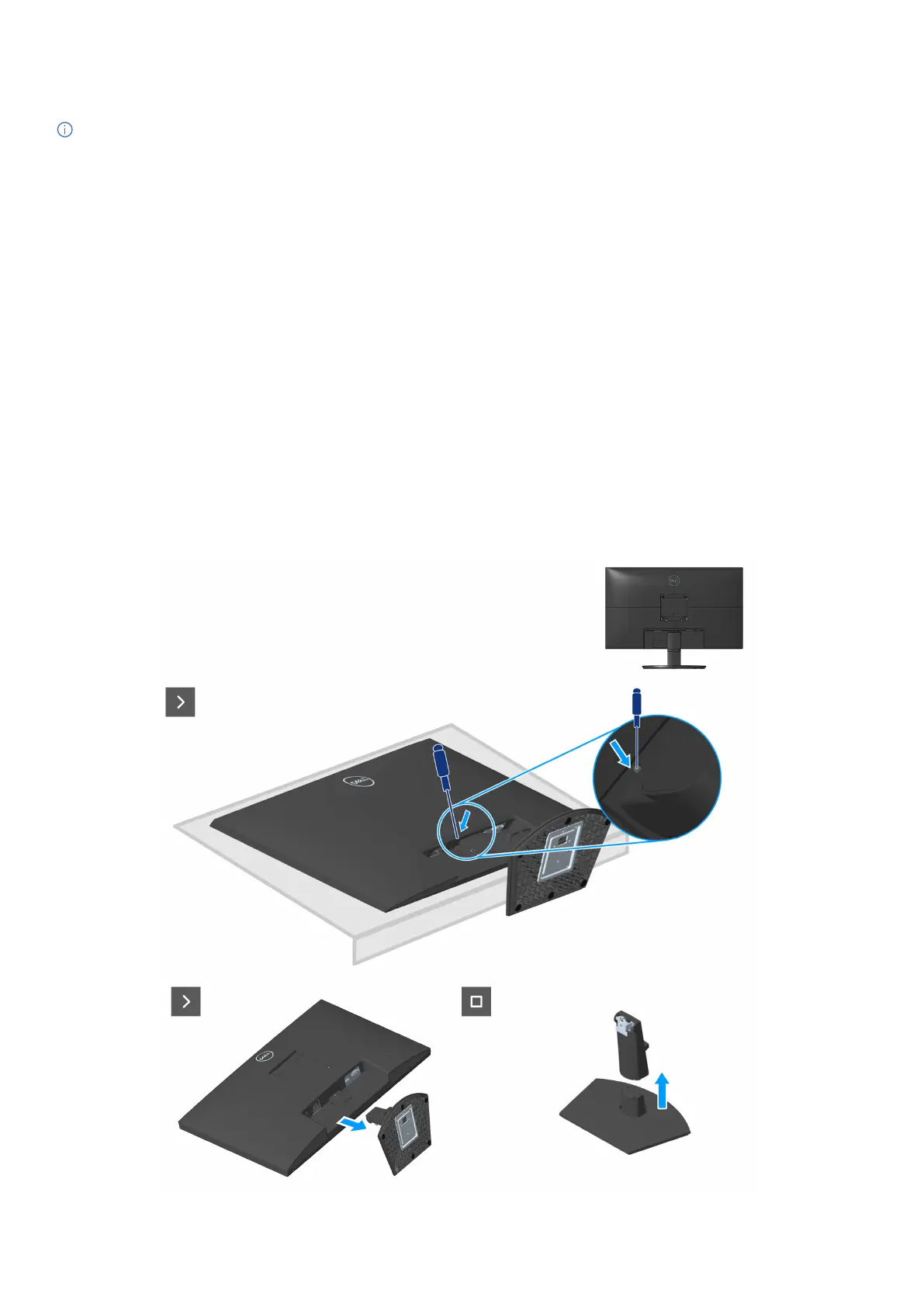
1. Place the monitor on a soft cloth or cushion at the edge of the desk.
2. Using a long screwdriver press the release button.
3. While keeping the release button pressed, pull the stand out.



 To Next Page