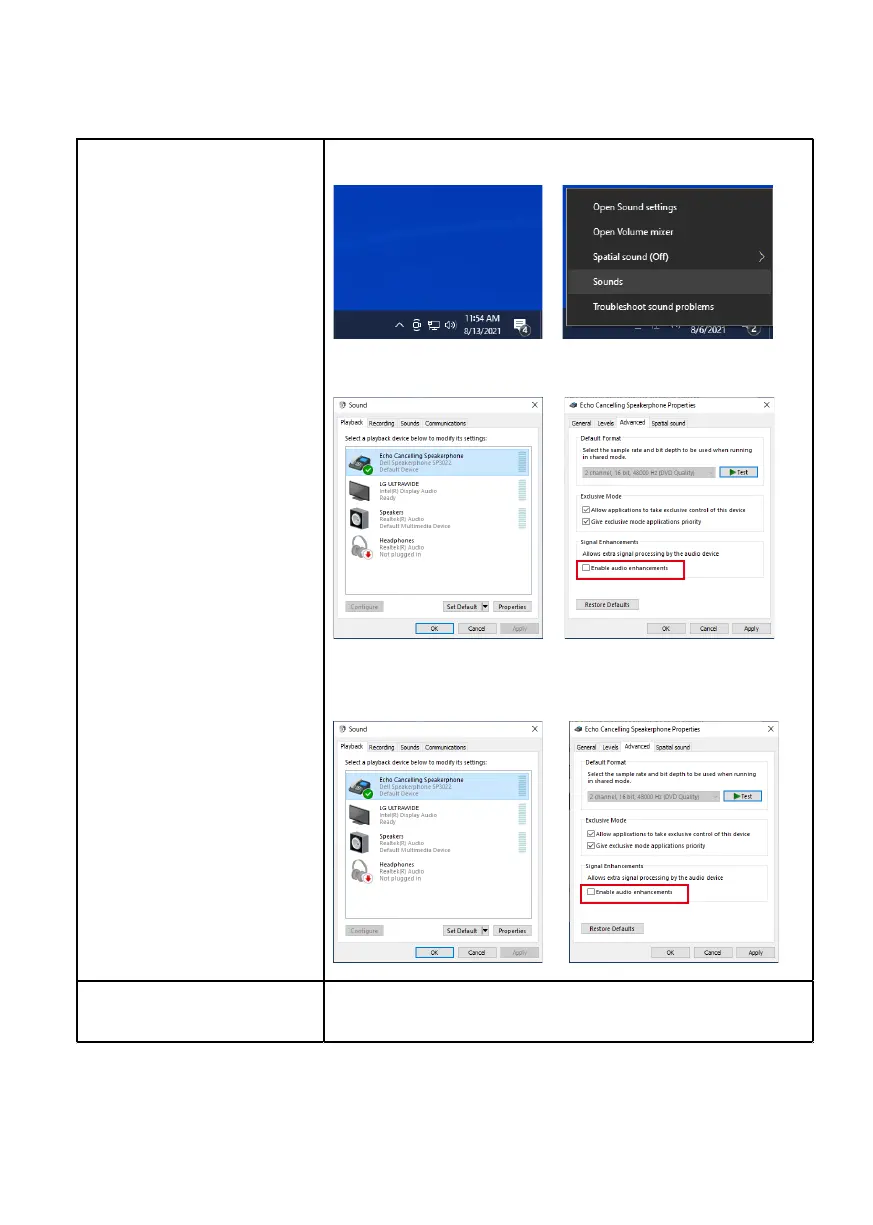
1.Right-click sound icon and enter Sounds.
You can follow the steps below:
2.In Playback page, right click on speakerphone icon and click properties.
3.In Advanced page, uncheck Enable audio enhancements.
4.In Recording page, right click on speakerphone icon and click properties.
5.In Advanced page, uncheck Enable audio enhancements.
Volume is too low • Remove any obstructions between SP3022 and the user.
• Turn the volume to a higher level
by pressing the volume up button or
using the software UI.
• Press volume setting on Windows to increase the volume.
20
How to set up PC when you observe
abnormal sound


 To Next Page