8
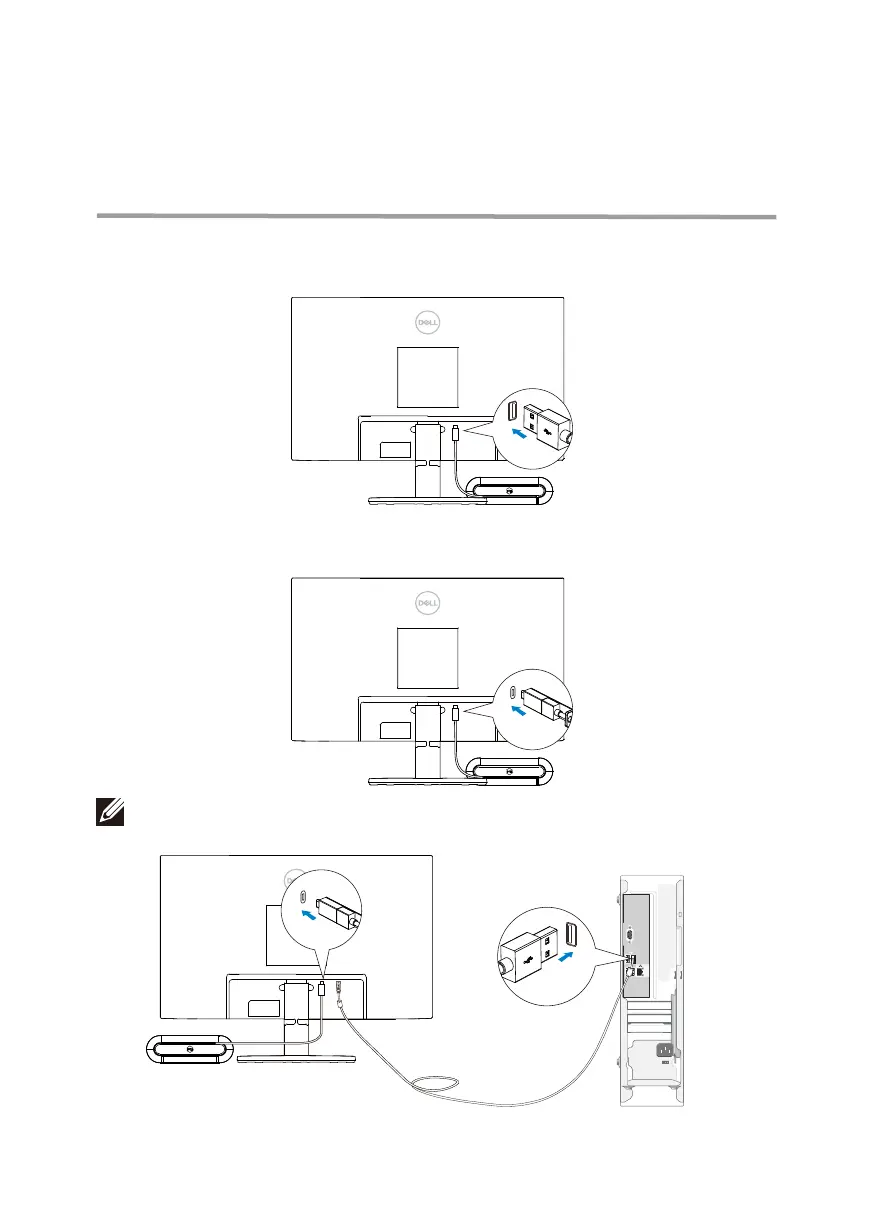
Connect the speakerphone cable to the USB-A port or USB-C on your monitor.
1. Connect to the USB-A port of the Dell monitor.
Or
2. Connect to the USB-C port of the Dell monitor.
USB-A
USB-C
NOTE: If the speakerphone is not detected, check if the upstream cable is connected
from your computer to the Dell monitor.
USB-A
Setting up your speakerphone with a
monitor


 To Next Page