20 Quick Reference Guide
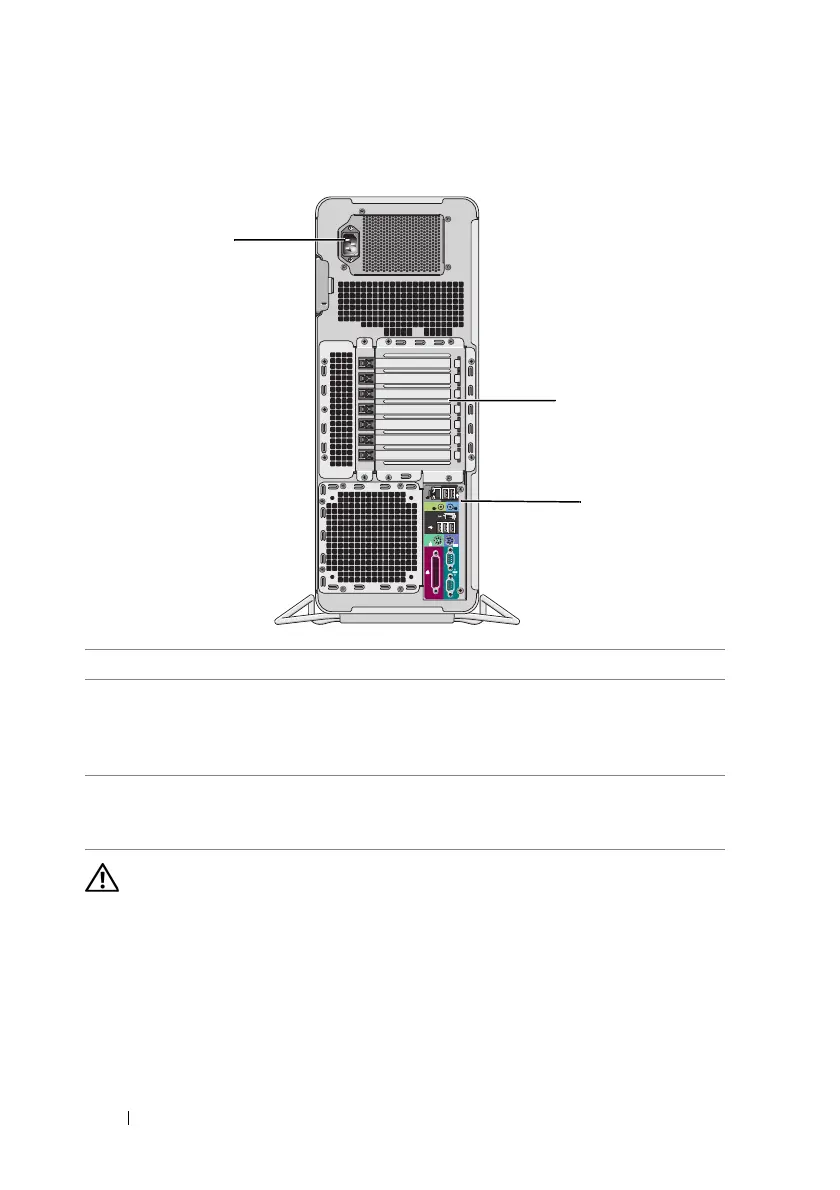
Back View (Tower Orientation)
CAUTION: Ensure that none of the computer air vents are blocked. Blocking them
can cause serious thermal problems.
1 power connector Connect the power cable.
2 card slots Slots 2–6 support full-length cards, including one PCI, two PCI
Express 2.0 x16, and two PCI-X slots. Slots 1 and 7 support
half-length cards, including one PCI Express x8 (wired as x4)
and one PCI-X slot.
3 back panel
connectors
Plug USB, audio, and other devices into the appropriate
connector (see "Back Panel Connectors" on page 21 for more
information).
1
3
2









 To Next Page