- 11 -
5. Disassembly and Assembly Procedures
NOTE:
This “Disassembly and Assembly Procedures” is for EMEA only, not for other regions. Please note
that Dell will deem warranty void if any disassembly is done on the monitors.
5.1 Disassembly SOP
Preparation before disassemble
1. Clean the room for disassemble
2. Identify the area for monitor
3. Check the position that the monitors be placed and the quantity of the monitor; prepare the area for
material flow; according to the actual condition plan the disassemble layout
4. Prepare the implement, equipment, material as bellow:
1) Working table
2) Philips-head screwdriver
3) Glove
4) Cleaning cloth
5) ESD protection
6)
1
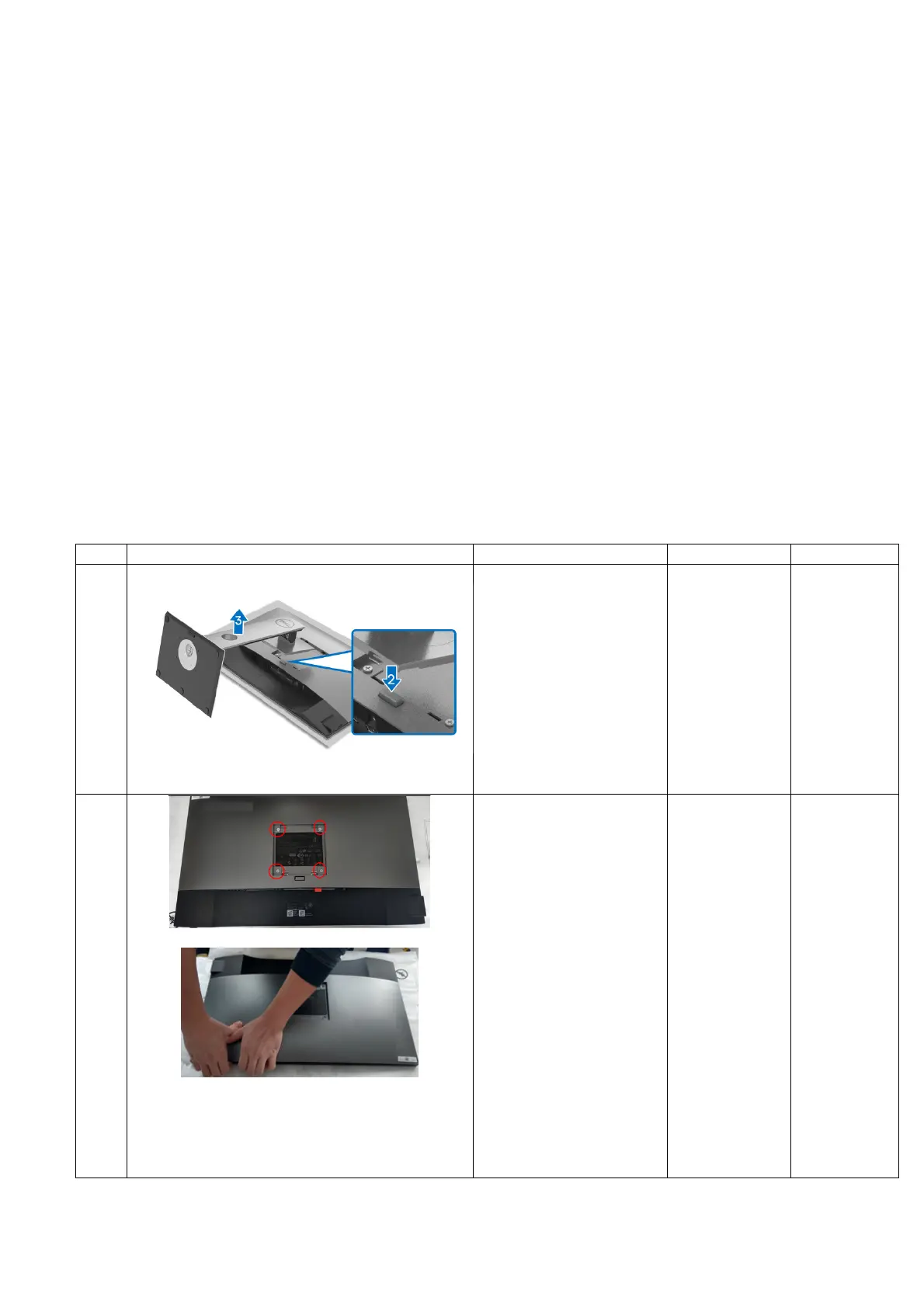
To remove the stand:
1. Place the monitor
on a soft cloth or
cushion.
2. Press and hold the
stand release
button.
3. Lift the stand up and
away from the
monitor.
2
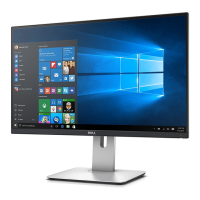
1. Unlock 4 screws on
Rear Cover
2. Disassemble Rear
Cover from middle
frame
Notice the
disassembly order:
1) Disassemble the
top side
Philips-head
screwdriver
Torsion of
Rear Cover
screw:
11±1Kg


 To Next Page