- 9 -
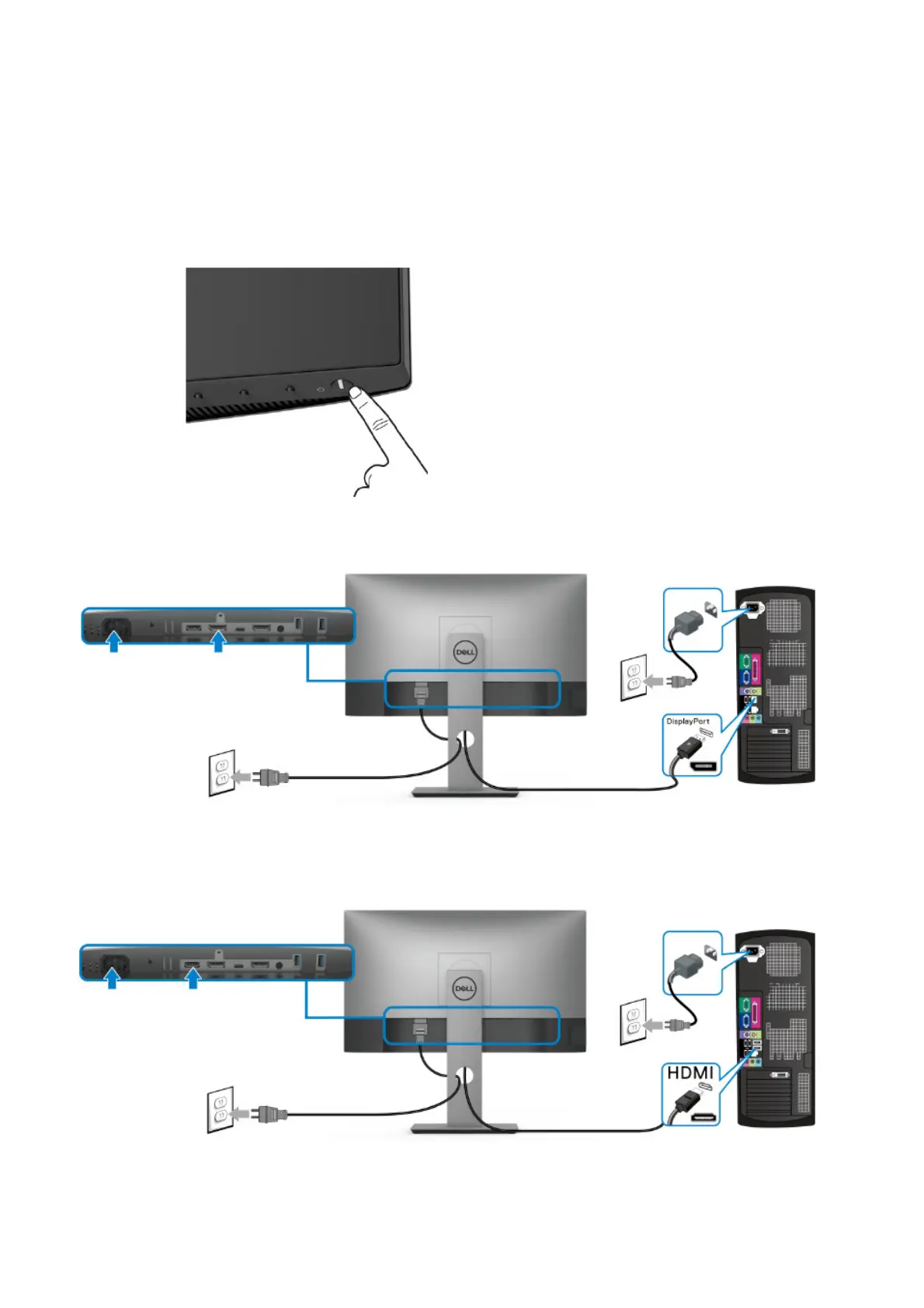
4. How to connect and disconnect power cable/ connectivity cable
WARNING: To change power cable/ connectivity cable, switch off power before unplugging the cable
and replugging in required cable.
Connect/ disconnecting the DisplayPort cable and Power cable
Connecting/ disconnecting the HDMI cable and Power cable


 To Next Page