- 18 -
5
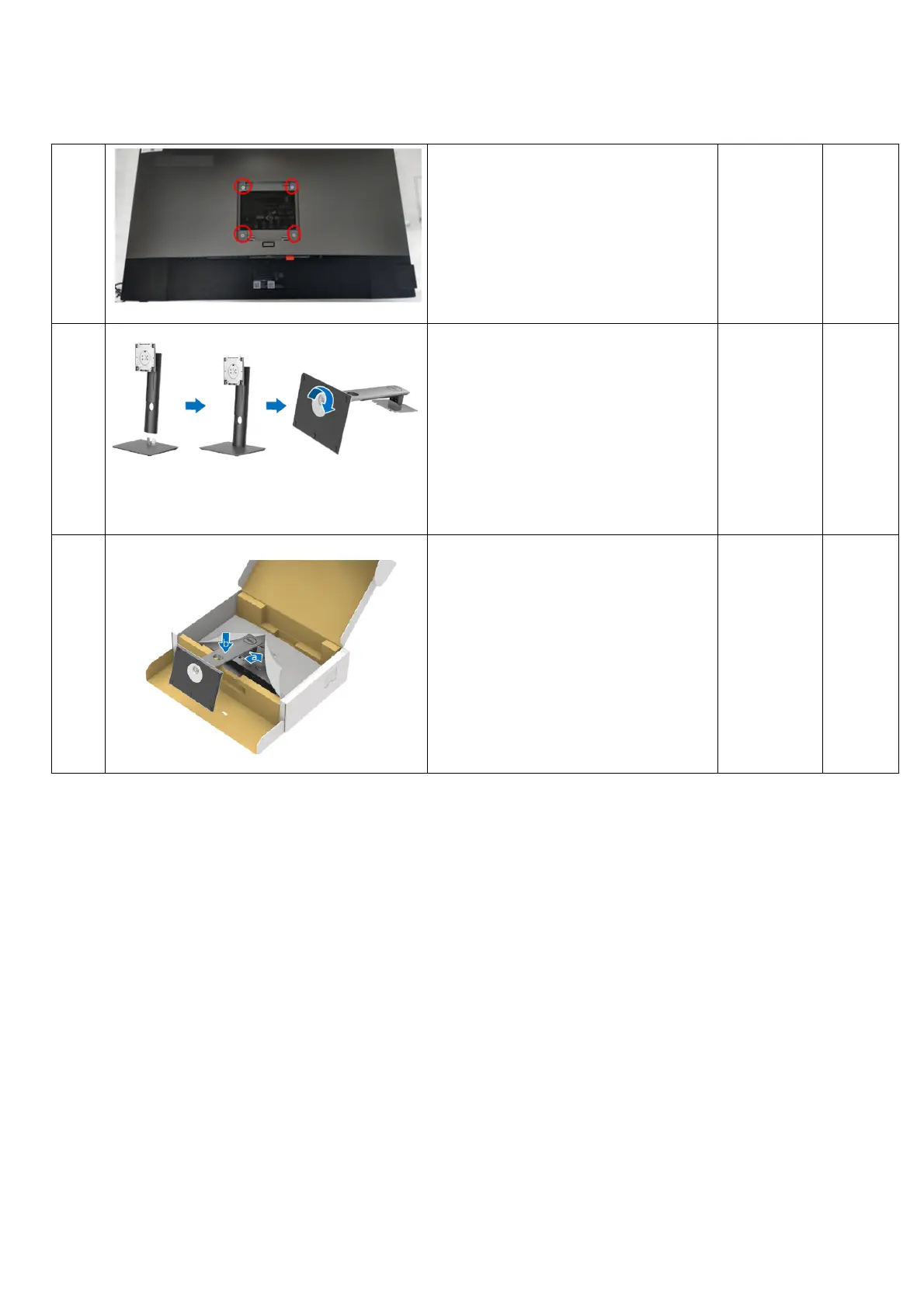
1. Lock 4 Rear Cover screws Philips-
head
screwdriver
Torsion of
Rear Cover
screw:
11±1Kg
6
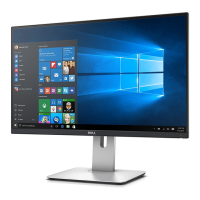
Assemble the Stand:
a. Insert the stand base blocks
fully into the stand slot
b. Lift the screw handle and turn
the screw clockwise
c. After fully tightening the
screw, fold the screw handle
flat within the recess.
7
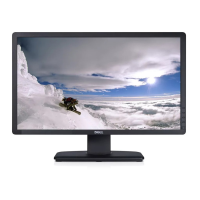
Attach the Stand assembly to the
Monitor:
a. Fit the two tabs on the upper
part of the stand to the groove
on the back of the monitor
b. Press the stand down till it
snaps into place.


 To Next Page