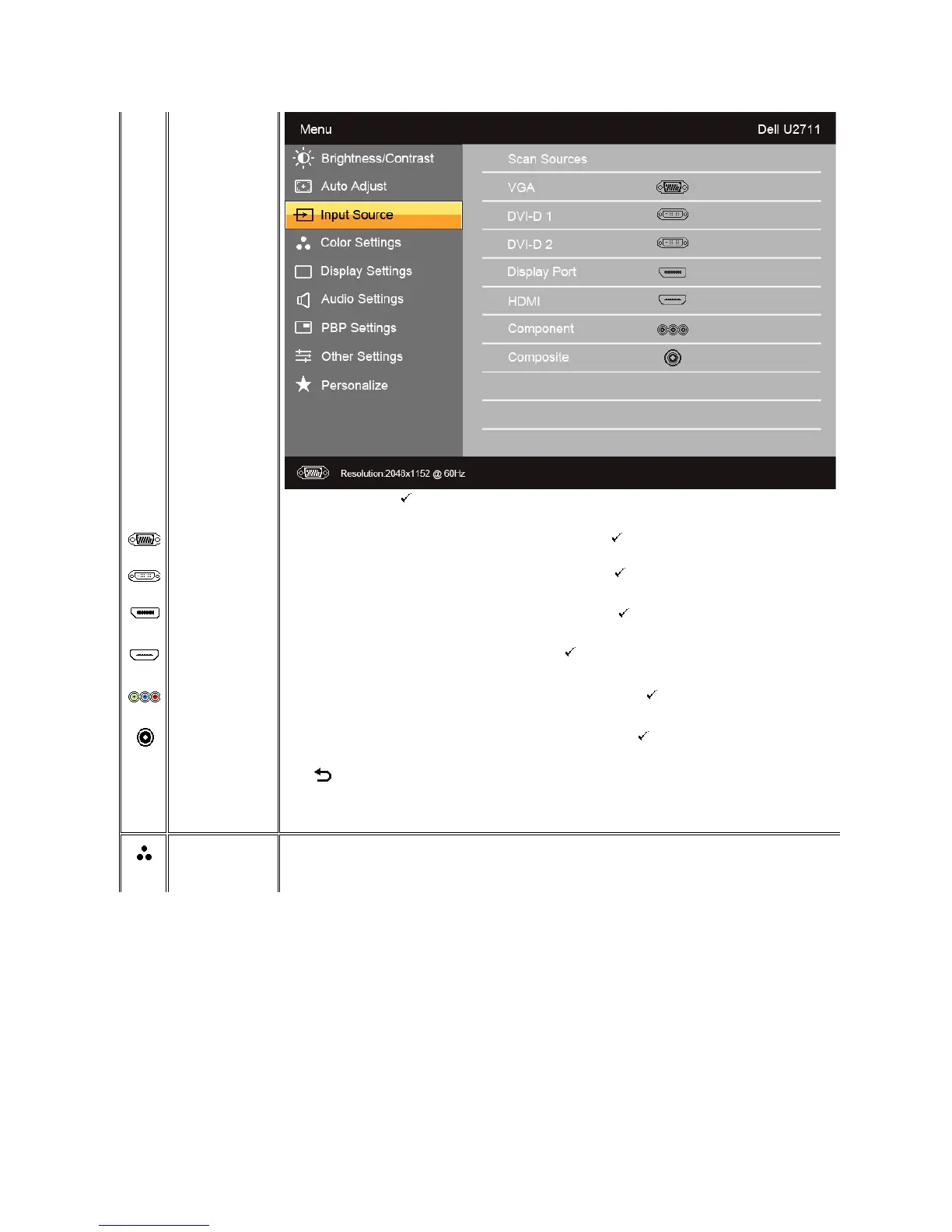
Scan for Sources. Touch to scan for available input signals.
Select VGA input when you are using the analog (VGA) connector. Touch to select the VGA input source.
Select DVI-D input when you are using the Digital (DVI) connector. Touch to select the DVI input source.
Select DisplayPort input when you are using DisplayPort connector. Touch toselecttheDisplayPortinputsource.
Select HDMI input when you are using HDMI connector. Touch toselecttheHDMIinputsource.
Select Component input when you are using component video connector. Touch to select the component input source.
Select Composite input when you are using composite video connector. Touch to select the composite input source.
Touch to go back to the main menu.
Allows you to set the image mode and color format.
Image mode submenu for VGA/DVI-D input


 To Next Page