22 | Setting Up the Monitor
Setting Up the Monitor
Attaching the Stand
NOTE: The stand riser and stand base are detached when the monitor is shipped
from the factory.
NOTE: The procedure below is applicable for the default stand. If you purchased
any other stand, see the documentation shipped with the stand to set it up.
CAUTION: Place monitor of a flat, clean, and soft surface to avoid scratching the
display panel.
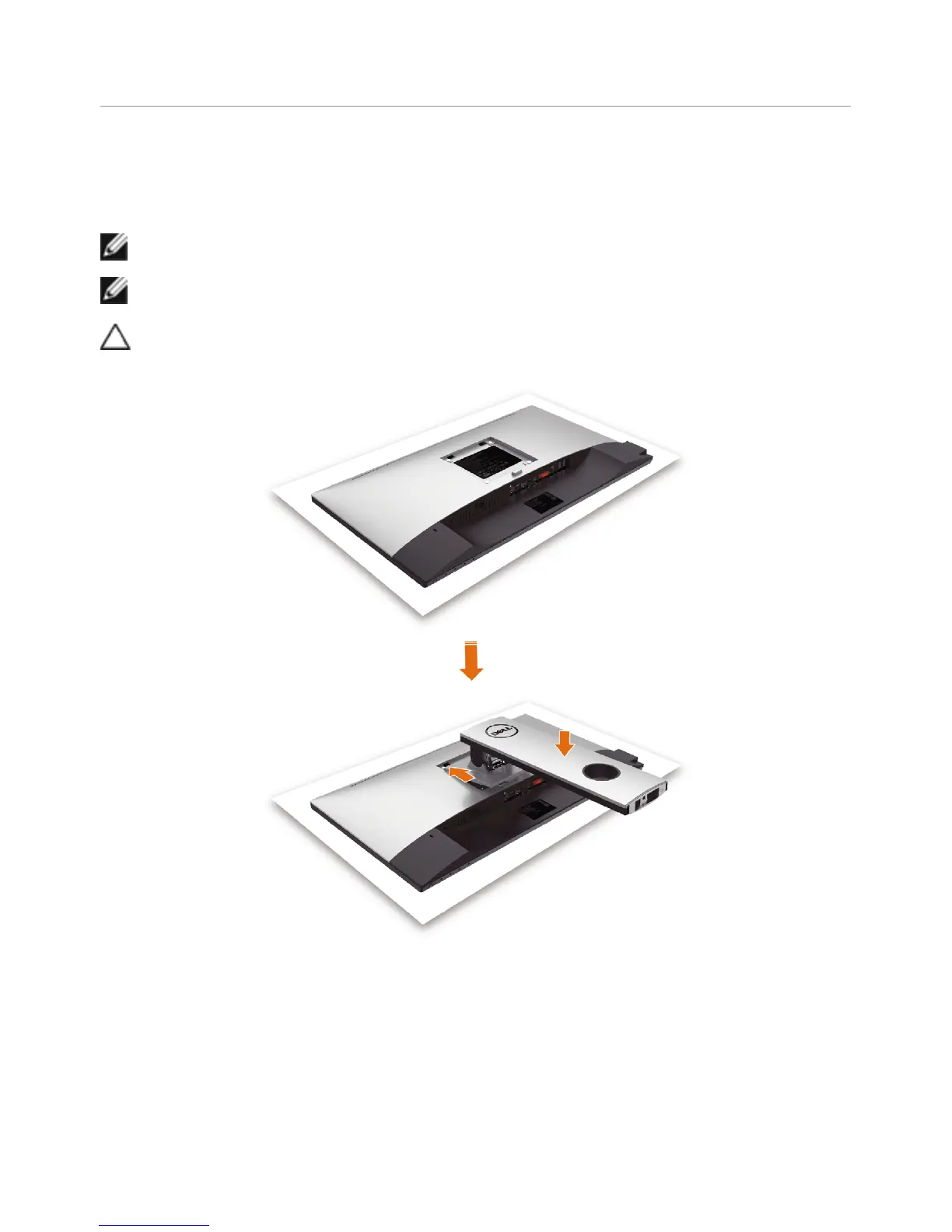
To attach the monitor stand:
•Removethemonitorprotectivecoverandplacethemoitorwithitsfrontfacing
downward on it.
•Insertthetwotabsontheupperpartofthestandtothegrooveonthebackof
the monitor.
•Pressthestanddowntillitsnapsintoitsplace.


 To Next Page