Setting Up the Monitor | 29
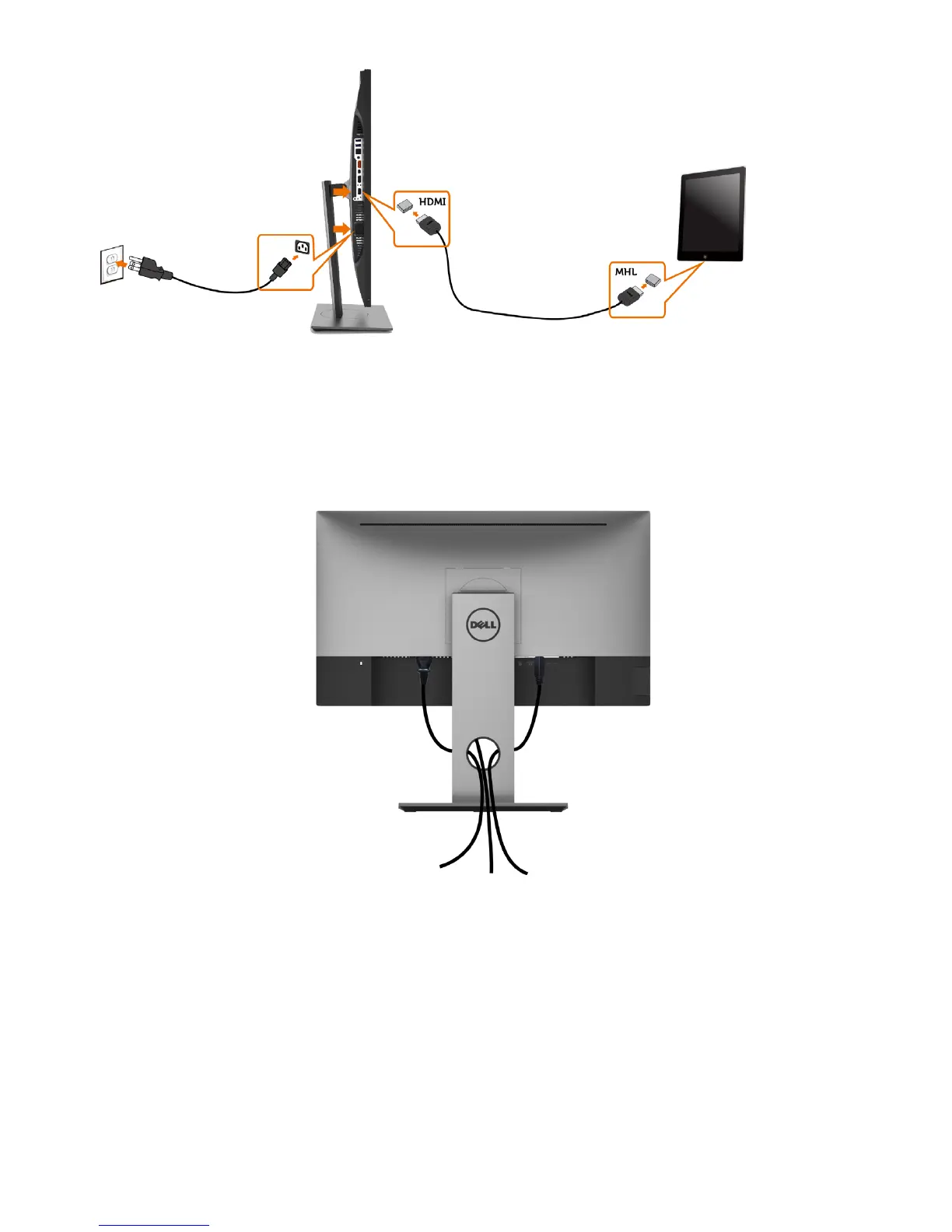
4 Select input source on monitor to HDMI (MHL) by using OSD menu (see Using
the On-Screen Display (OSD) Menu for details).
5 If the monitor does not display an image, see Mobile High-Definition Link
(MHL) Specific Problems.
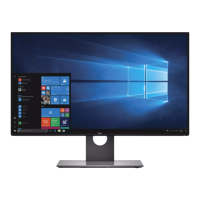
Organizing Your Cables
After attaching all necessary cables to your monitor and computer, (see Connecting
Your Monitor for cable attachment) organize all cables as shown above.


 To Next Page