Setting Up the Monitor | 27
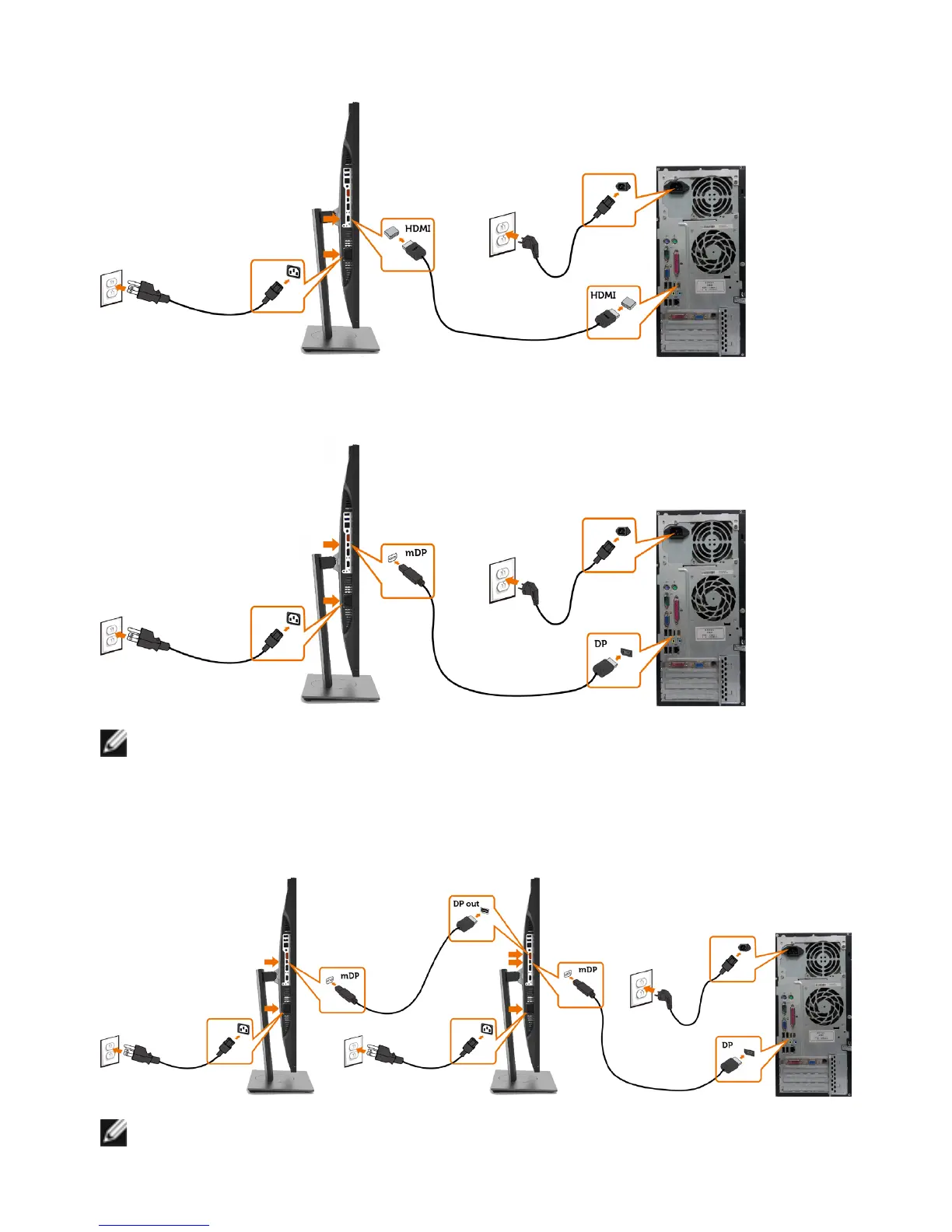
Connecting the HDMI cable(Optional)
Connecting the DP (or mDP) cable
NOTE: Default is DP port. Select input source on monitor to switch to mDP.
Connecting the monitor for DP Multi-Stream Transport (MST)
function
NOTE: Supports the DP MST feature. To make use of this feature, your PC


 To Next Page