About Your Monitor | 11
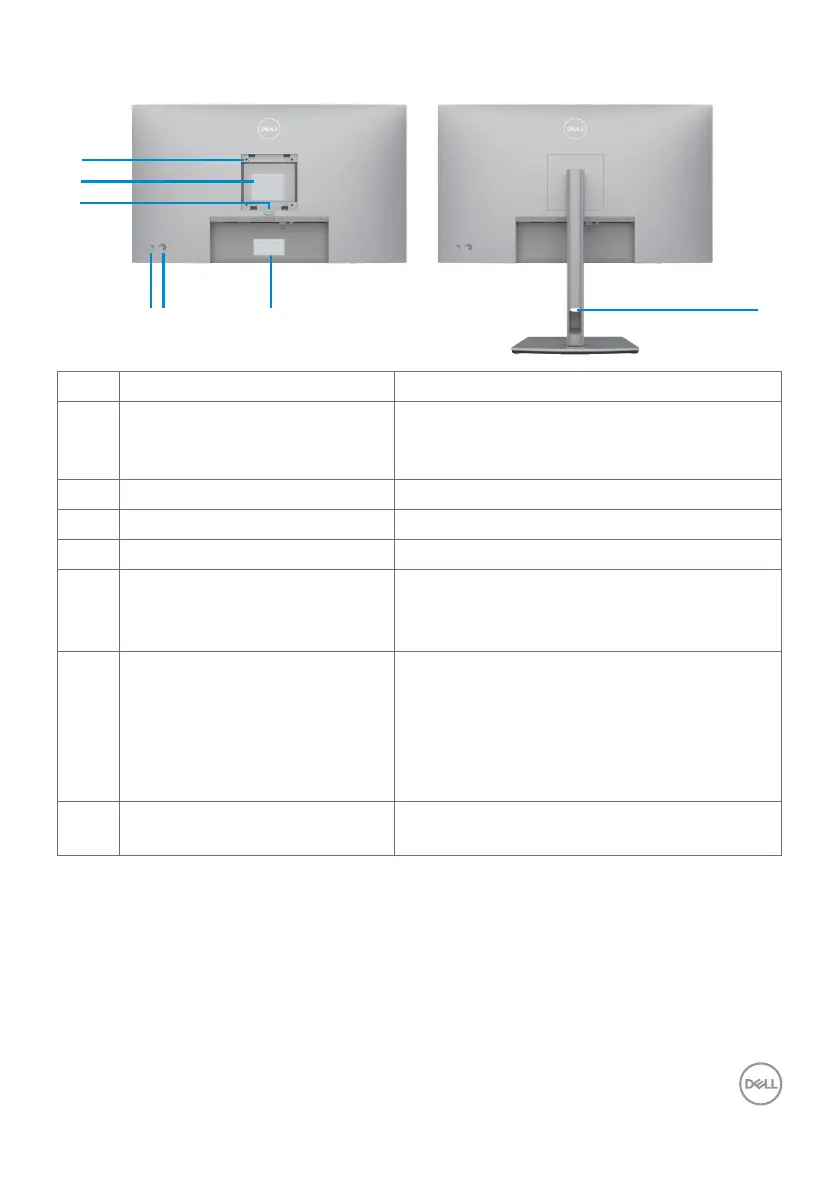
Back View
7
1
2
3
654
Label Description Use
1 VESA mounting holes
(100 mm x 100 mm-behind
attached VESA cover)
Wall mount monitor using VESA-compatible
wall mount kit (100 mm x 100 mm).
2 Regulatory label Lists the regulatory approvals.
3 Stand release button Releases stand from the monitor.
4 Power On/Off button To turn the monitor on or off.
5 Joystick Use it to control the OSD menu.
For more information, see Operating the
Monitor.
6 Mac address, Barcode, serial
number, and Service Tag label
Refer to this label if you need to contact Dell
for technical support. The Service Tag is a
unique alphanumeric identifier that enables
Dell service technicians to identify the
hardware components in your computer and
access warranty information.
7 Cable-management slot Use to organize cables by inserting them
through the slot.












 To Next Page