Setting Up the Monitor | 49
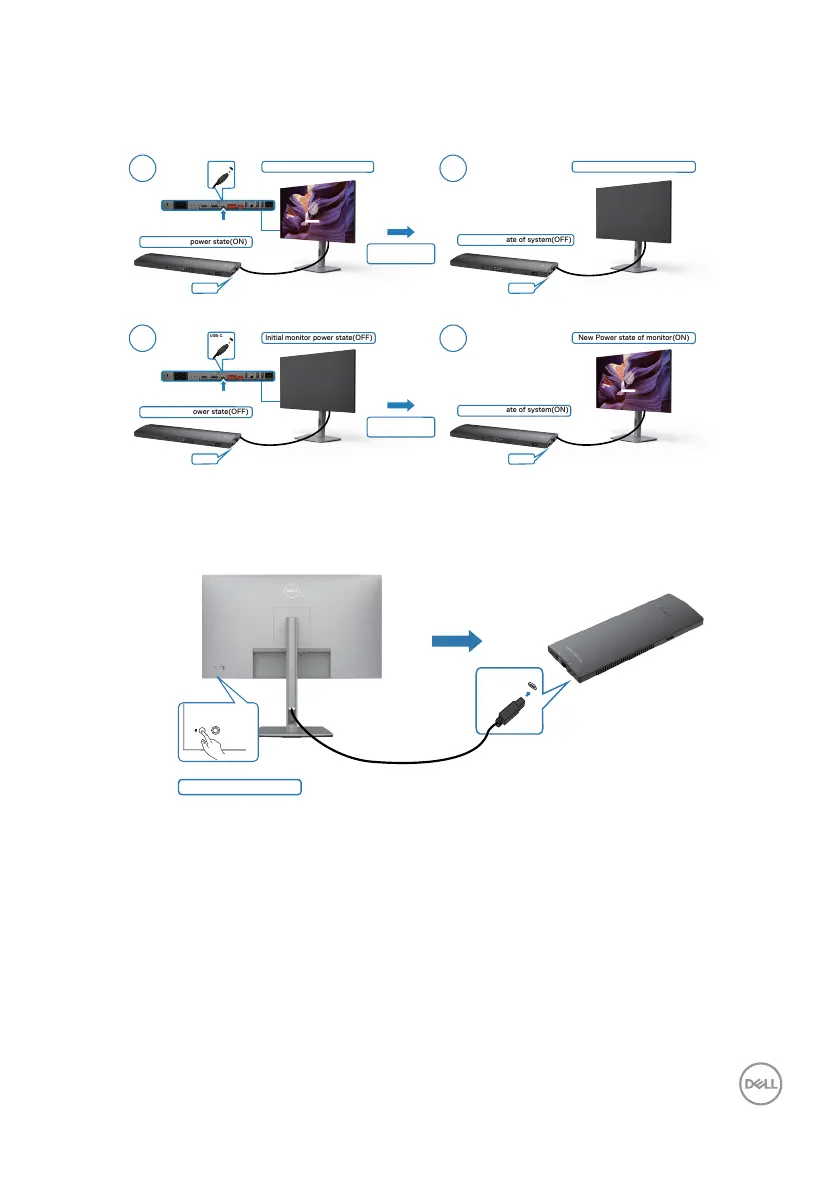
Using DPBS Function
When you press the monitor power button or PC power button, the Monitor / PC
state is as follows:
Initial monitor power state(OFF)
Initial monitor power state(ON)
New Power state of monitor(ON)
New Power state of system(ON)
New Power state of monitor(OFF)
New Power state of system(OFF)
1 2
1 2
USB-C
USB-C
USB-C
USB-C
USB-C
USB-C
Initial system power state(OFF)
Initial system power state(ON)
Press PC/Monitor
power button
Press PC/Monitor
power button
When the monitor and PC power state are both ON, while you press and hold 4
seconds on monitor power button, the screen prompt will ask if you would like to
shut down the PC.
Press and hold 4s
USB-C












 To Next Page