Setting up the monitor │ 39
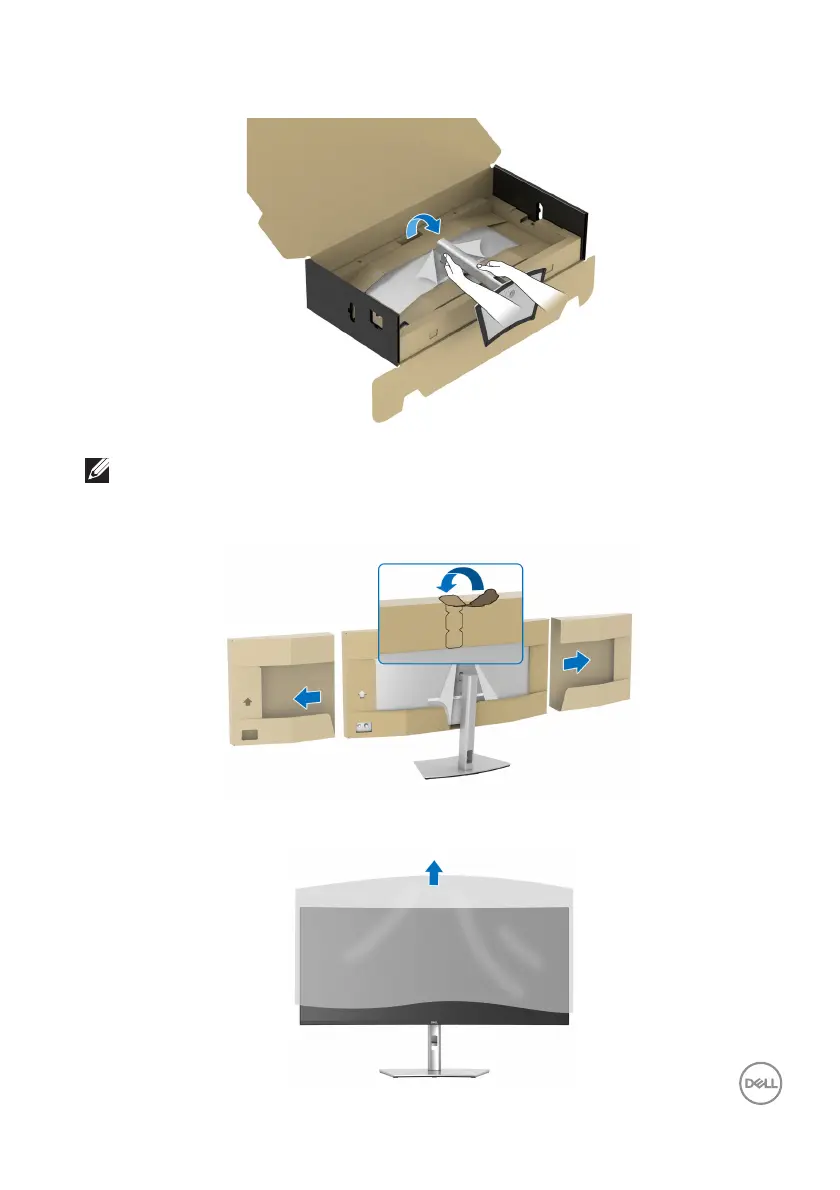
7. Place the monitor upright with the protective cushion attached.
NOTE: Lift the monitor carefully to prevent it from slipping or falling.
8. T
ear apart the zipper die-cut in the middle of the protective cushion, then
remove the protective cushion from the left and right side of the monitor.
9. Remove the protective cover from the monitor.













 To Next Page