Setting up the monitor │ 43
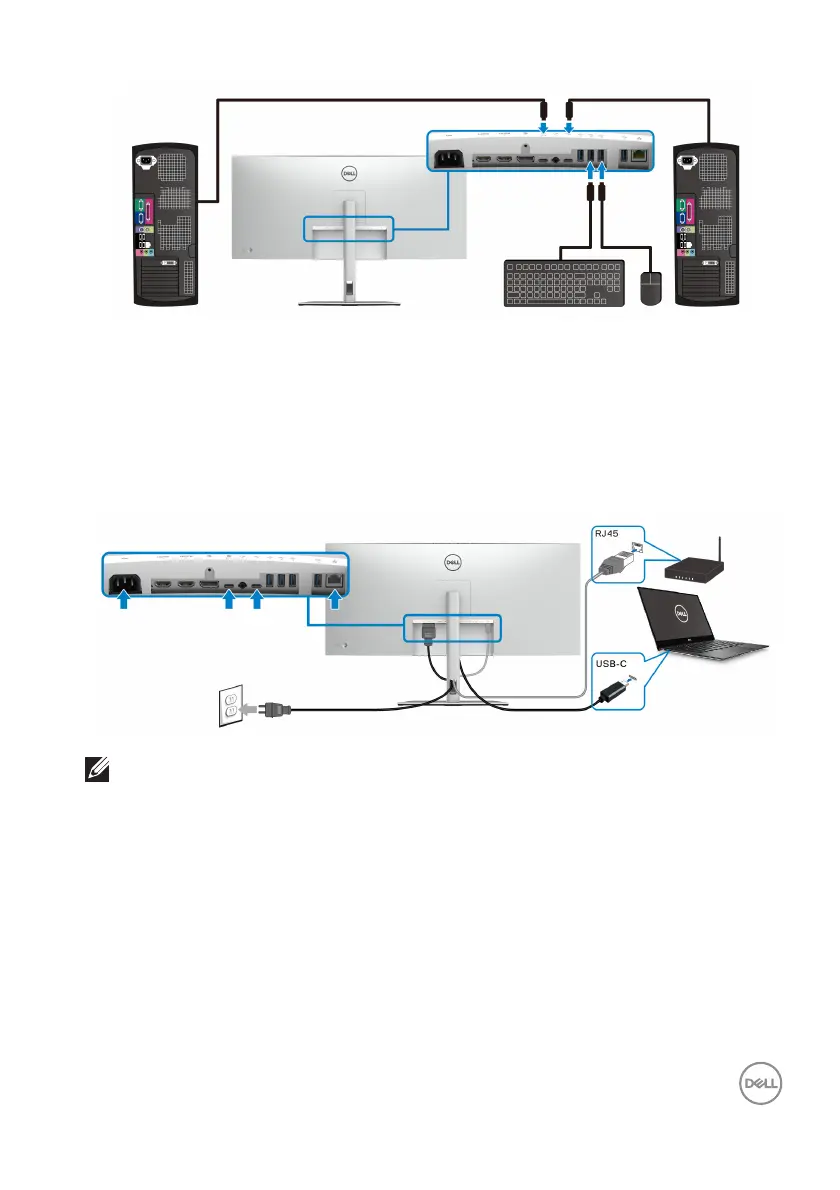
b. Connect two computers
*When connecting two computers to the monitor, configure the USB settings from
the OSD menu to share a single set of keyboard and mouse connected to the
monitor between two computers. See USB and Setting the KVM switch for
details.
Connecting the monitor for RJ45 cable (optional)
NOTE: The RJ45 cable is not an in-box standard accessory.













 To Next Page