84 │ Operating the monitor
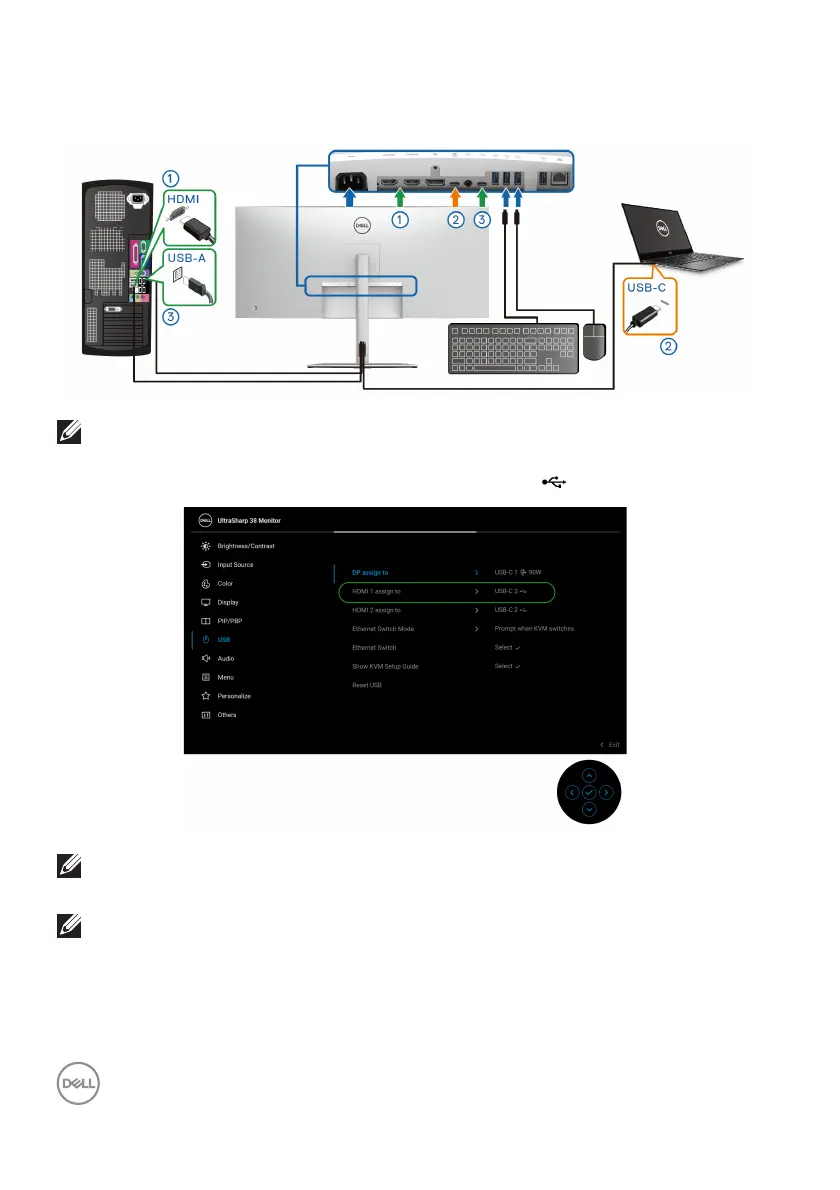
b. When connecting HDMI + USB-C (data only) to computer 1 and USB-C
(video and data) to computer 2:
NOTE: The USB Type-C (video and data) connection currently supports
video and data transfer.
Ensure that USB fo
r HDMI is assigned to USB-C2 .
NOTE: As the USB Type-C (video and data) port supports the
DisplayPort Alternate Mode, there is no need to set USB for USB-C.
NOTE: When connecting to different video input sources not shown
above, follow the same method to make correct settings for USB to pair
the ports.













 To Next Page