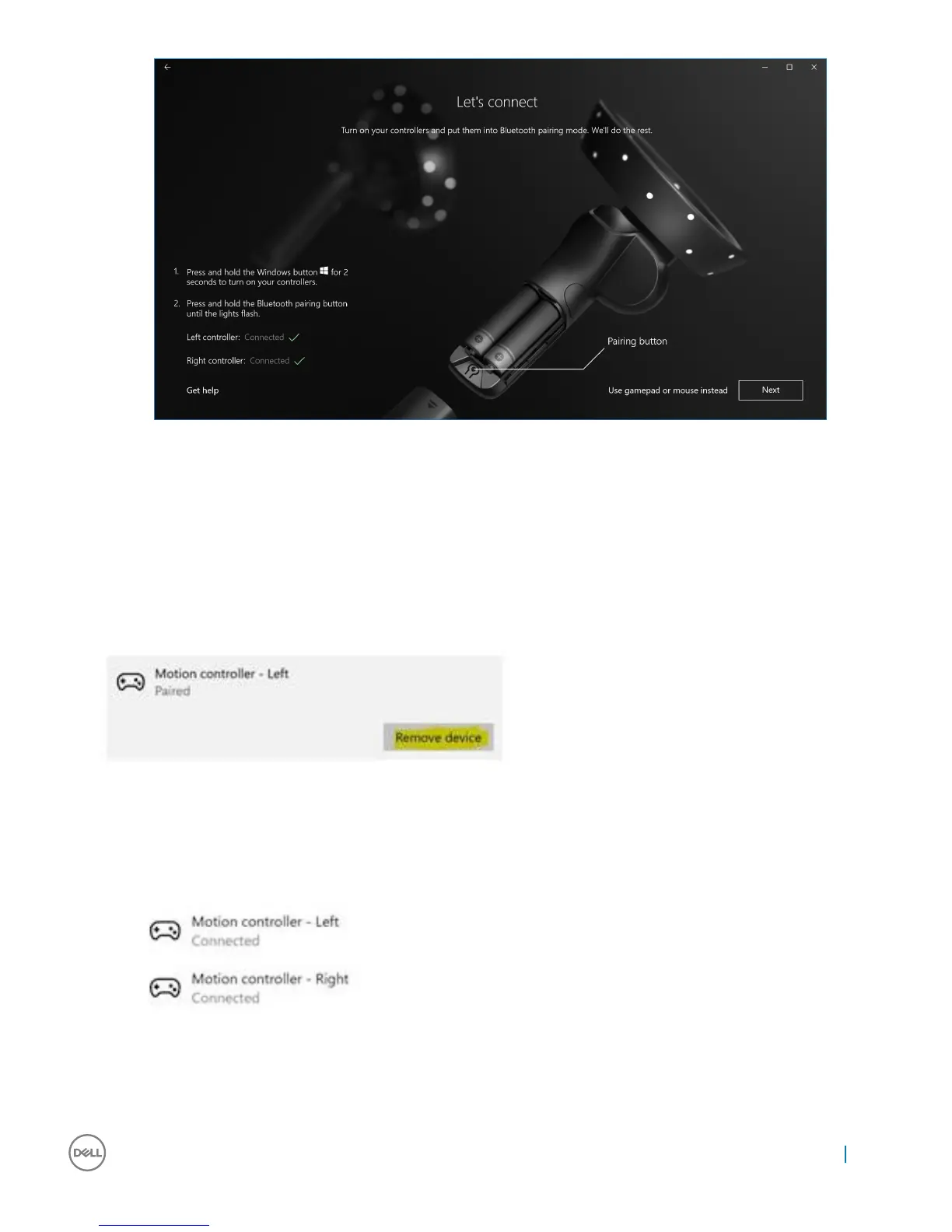
Figure 9. Pairing the right controller
10 You are now ready to use the Dell Visor VR118 and enjoy the Windows Mixed Reality experience!
Alternative Visor Controller Pairing Method:
1 Go to Windows Settings -> Devices -> Bluetooth -> Bluetooth & other devices tab.
2 Remove earlier paired controllers.
3 Press and hold the Windows button for 2 seconds to turn on your controllers.
4 Remove the battery compartment cover and press and hold the Bluetooth pairing button until the LED constellation lights ash.
5 Identify Visor Controllers Left & Right from the List of devices.
6 Then pair the controllers.
7 Both controllers should be connected now.
• Verify your controllers work properly:
a Launch Mixed Reality Portal and enter the Cli House.
b Move your controllers and verify tracking, test buttons, and verify teleportation works.
Setting up the Windows Mixed Reality experience
17


 To Next Page