44 Setting Up Your Computer
Printer Cable
Your printer connects to your computer with a USB cable. Your printer may
not come with a printer cable, so if you purchase a cable separately, ensure
that it is compatible with your printer and computer. If you purchased a
printer cable at the same time you purchased your computer, the cable may
arrive in the computer’s shipping box.
Connecting a USB Printer
NOTE: You can connect USB devices while the computer is turned on.
1
Complete the operating system setup if you have not already done so.
2
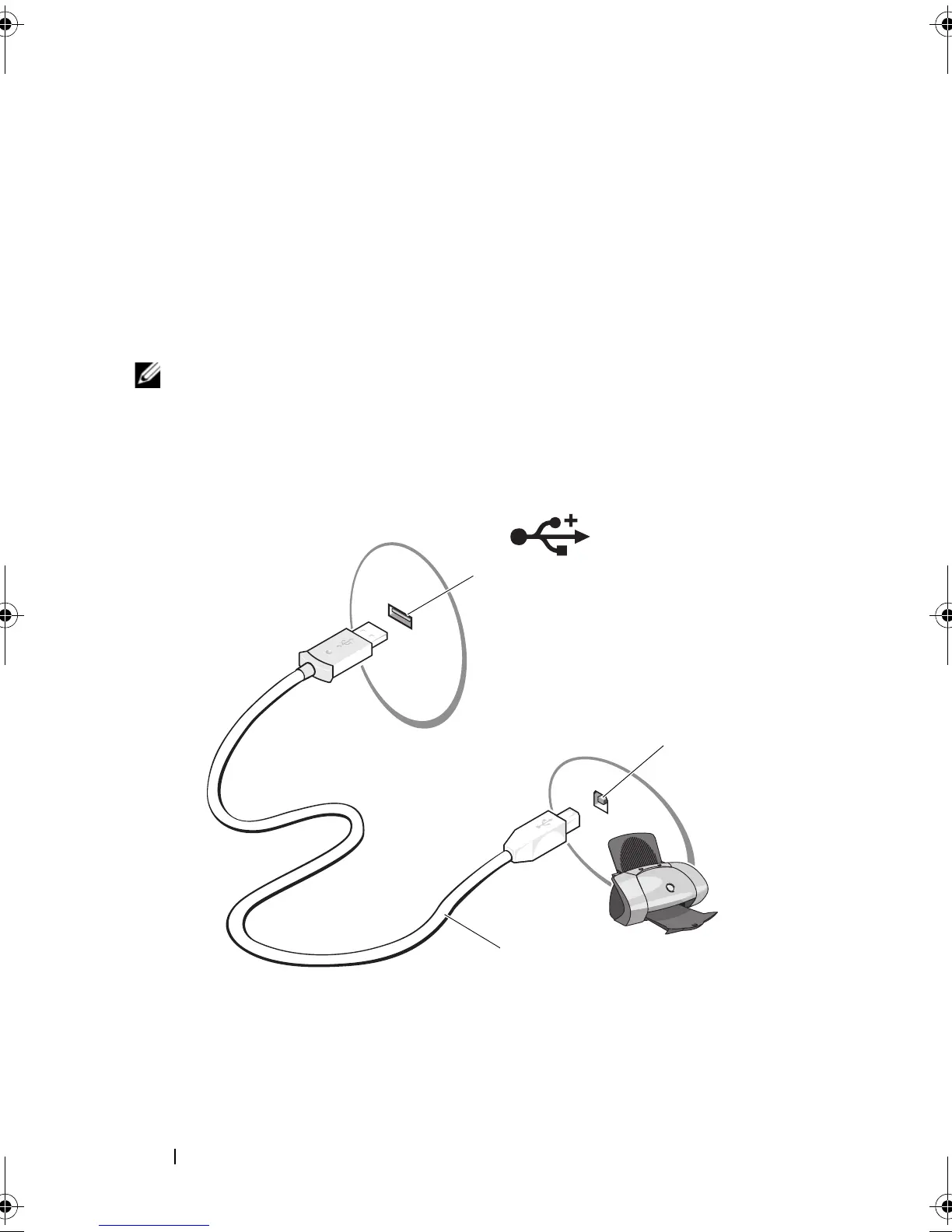
Attach the USB printer cable to the USB connectors on the computer and
the printer. The USB connectors fit only one way.
1 USB connector on computer 2 USB connector on printer
3 USB printer cable
book.book Page 44 Wednesday, September 16, 2009 11:12 AM





 To Next Page