f cooling shroud
g expansion card (optional)
h M.2 SATA SSD
i heat sink assembly
j WLAN card
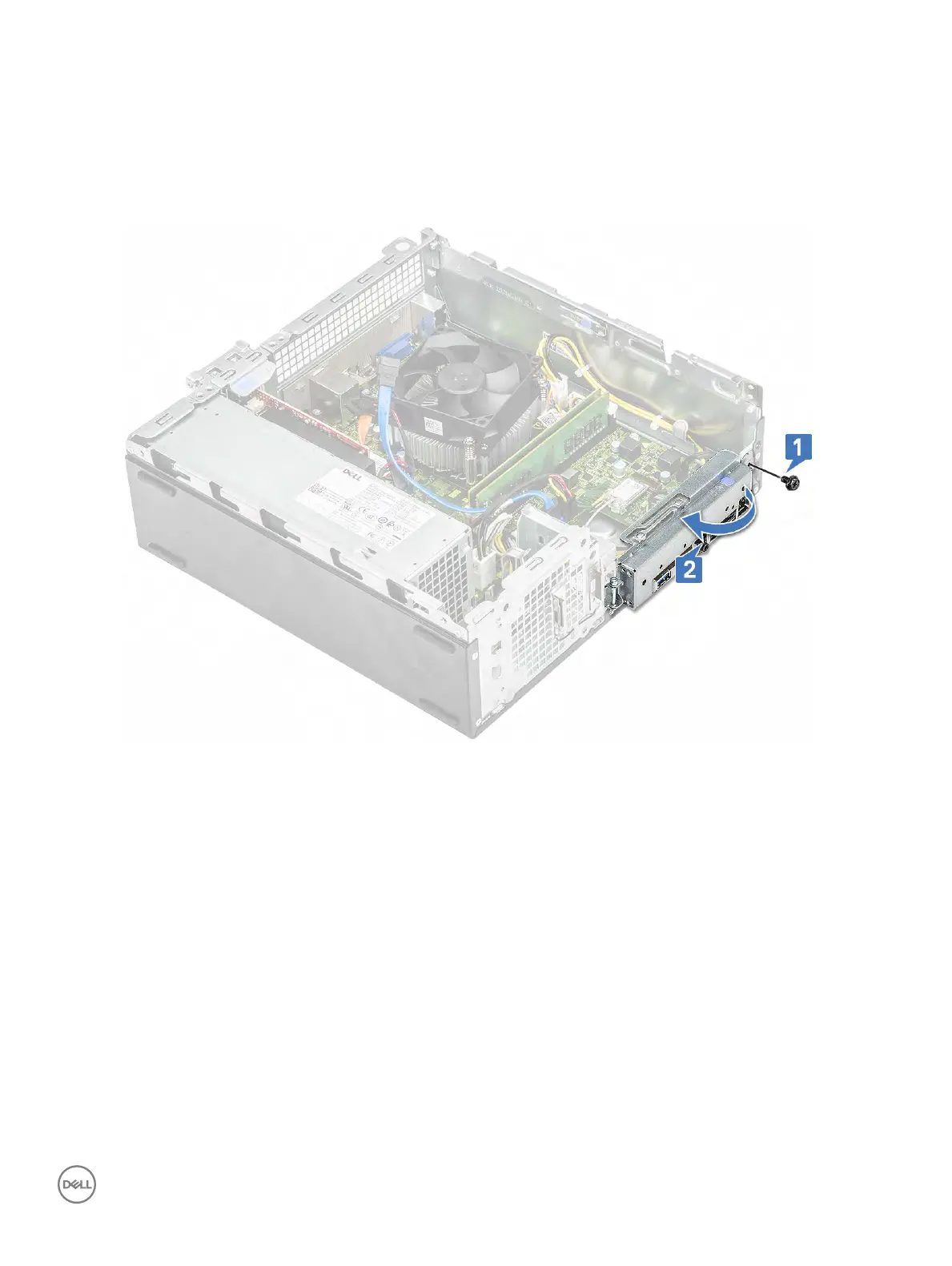
3 Follow the steps to open the IO bracket:
a Remove the 6-32xL6.35 screw that secures the IO bracket to the chassis [1].
b Pull the IO bracket to open the IO bracket [2].
4 Disconnect the following cables from the system board- ODD SATA cable and PSU cable [1], HDD SATA cable and HDD/ODD power
cable [
2], power switch cable [3], and PSU cable [4]
Removing and installing components 65



 To Next Page