Back to Contents Page
Removing The Power Supply
1. Follow the procedures in Before Working Inside Your Computer
2. Remove the
computer cover.
3. Remove the
video card holder.
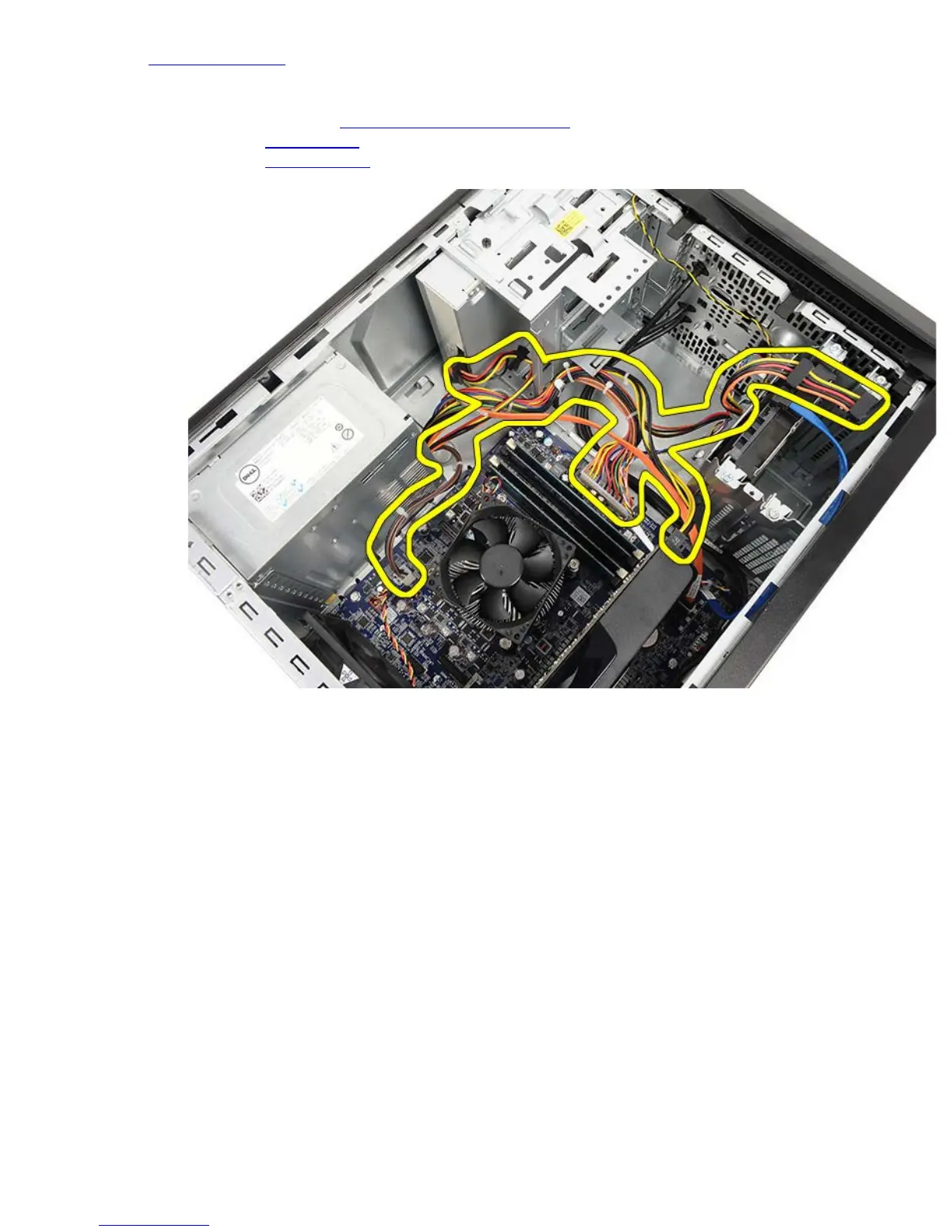
4. Disconnect and unthread the power cables from the system board, expansion cards, and drives.
5. Disengage the cables from the routing clips, if present, on the computer.


 To Next Page