Need help?
Do you have a question about the Dell WB5023 and is the answer not in the manual?
Explains the 78°/65° FOV adjustment for personalized video output.
Describes the AI Auto-framing feature that keeps the user centered.
Details HDR for superior picture quality and noise reduction for clear images.
Explains how the webcam adjusts exposure based on facial detection.
Mentions the built-in microphone for clear communication.
Explains the application for managing Dell peripherals on Windows.
Describes automatic and manual installation of the Windows software.
Explains the macOS application for managing monitors and webcams.
Guides users on obtaining and installing the macOS software.
Provides steps to find support online and offline contact methods.
 General
| Megapixel | - MP |
|---|---|
| Auto focus | Yes |
| Digital zoom | 4 x |
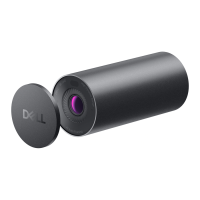
| Privacy type | Privacy shutter |
| Camera HD type | Full HD |
| Focus adjustment | Auto |
| Maximum frame rate | 60 fps |
| Diagonal field of view | 78 ° |
| Maximum video resolution | 2560 x 1440 pixels |
| Resolution at capture speed | 1280x720@24fps, 1280x720@30fps, 1280x720@60fps, 1920x1080@24fps, 1920x1080@30fps, 1920x1080@60fps, 2560x1440@24fps, 2560x1440@30fps |
| Interface | USB 2.0 |
| Cable length | 1.5 m |
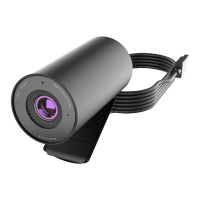
| Mounting type | Clip |
| Product color | Black |
| Built-in flash | No |
| Windows operating systems supported | Windows 10, Windows 11 |
| Storage temperature (T-T) | 0 - 40 °C |

 To Next Page