Setting up your webcam on a monitor │ 7
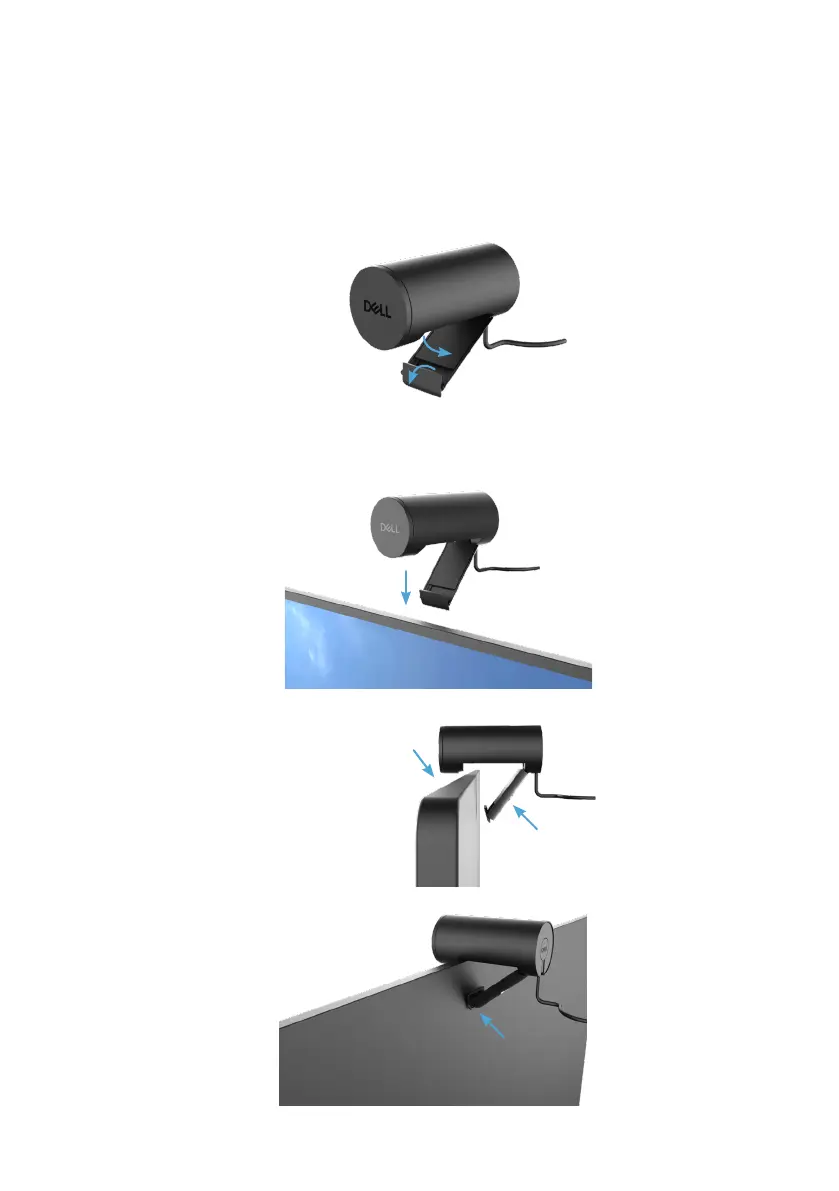
1. Open the universal mounting clip and the grip-tab as seen below.
2. Place the webcam on the monitor bezel and adjust the foot on the universal mounting clip
at the back of the monitor until the webcam sits rmly on the monitor bezel.
Setting up your webcam on a monitor
NOTE: It is recommended to have an active internet connection on your computer for
the best setup experience.


 To Next Page