8 │ Setting up your webcam on a monitor
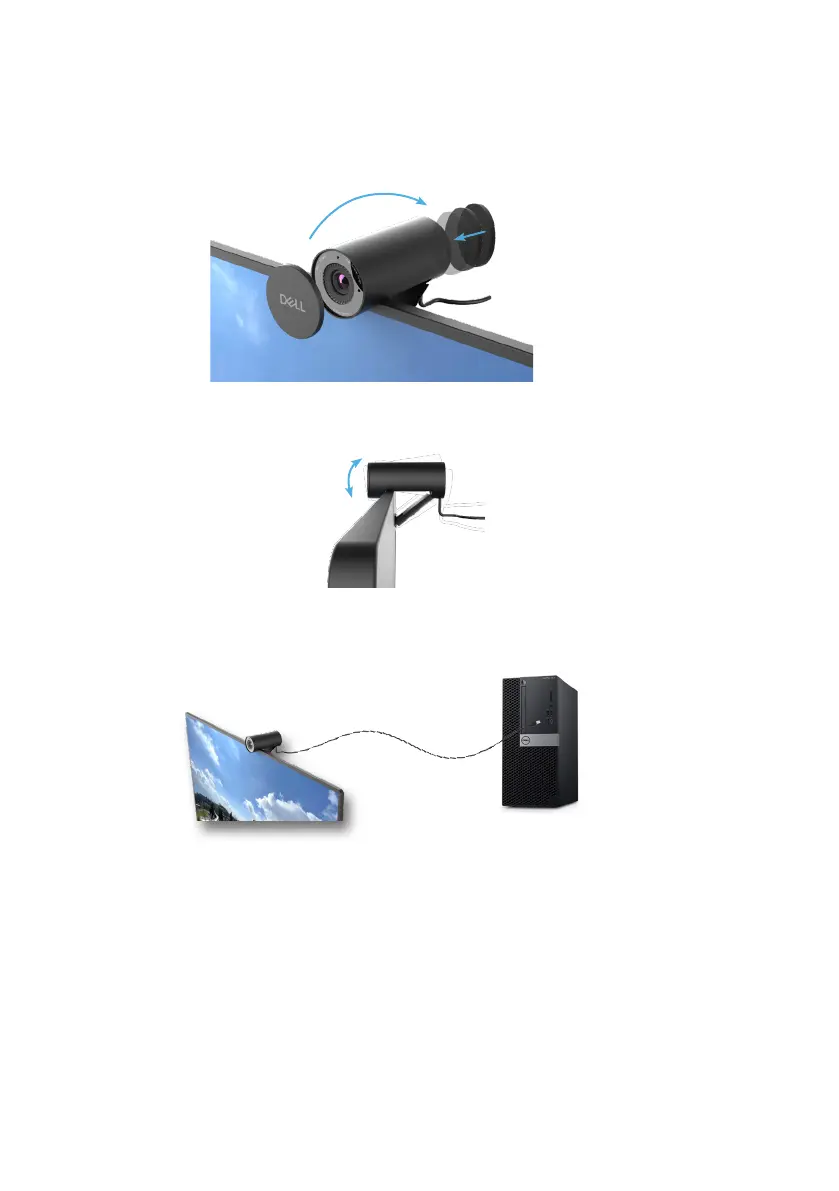
3. Remove the magnetic lens cap and place it at the rear of the webcam.
NOTE: Manually adjust the webcam up/down to the best position.
4. Connect the USB-A end of the cable to a USB-A port on your notebook, desktop or
monitor.
5. Follow the instructions on the screen to customize the camera settings using Dell
Peripheral Manager application on Windows or Dell Display and Peripheral Manager
application on Mac.


 To Next Page