EasyManua.ls Logo

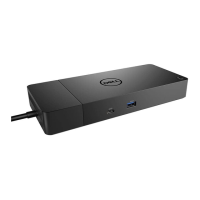
Dell WD19TB - User Manual

Dell WD19TB
41 pages
Print Icon
To Next Page IconTo Next Page
Loading...
Dell Docking Station WD19 Thunderbolt
User Guide
Regulatory Model: K20A
Regulatory Type: K20A001
July 2020
Rev. A02
Question and Answer IconNeed help?

Do you have a question about the Dell WD19TB and is the answer not in the manual?

Summary

Hardware requirements

Identifying Parts and Features

Important Information

Software and Driver Updates

Recommends updating BIOS, firmware, and drivers for optimal performance.

Quick Setup of Hardware

System Updates

Guides on updating system BIOS, graphics, and drivers from Dell support.

Thunderbolt Settings and Security Options

Thunderbolt Driver Setting

Explains how to manage Thunderbolt device connections and approvals.

Thunderbolt Security Settings

Outlines security levels for Thunderbolt connections and their implications.

Setup of External Monitors

Technical specifications

Docking Specifications Details

Lists detailed features, ports, power delivery, and environmental specs.

Dell docking station firmware update

Standalone Dock Firmware Update Utility

Guides on using the utility to update dock firmware.

Frequently asked questions

Thunderbolt Security and Approval

Clarifies why Thunderbolt device approval prompts appear and how to manage them.

Troubleshooting the Dell Thunderbolt Docking Station WD19 TB

Display and Video Issues

Solutions for no video, flickering, or extended display problems.

Audio, USB, and Network Connectivity

Troubleshooting for audio, USB, LAN ports, and HDCP issues.

Summary

Hardware requirements

Identifying Parts and Features

Important Information

Software and Driver Updates

Recommends updating BIOS, firmware, and drivers for optimal performance.

Quick Setup of Hardware

System Updates

Guides on updating system BIOS, graphics, and drivers from Dell support.

Thunderbolt Settings and Security Options

Thunderbolt Driver Setting

Explains how to manage Thunderbolt device connections and approvals.

Thunderbolt Security Settings

Outlines security levels for Thunderbolt connections and their implications.

Setup of External Monitors

Technical specifications

Docking Specifications Details

Lists detailed features, ports, power delivery, and environmental specs.

Dell docking station firmware update

Standalone Dock Firmware Update Utility

Guides on using the utility to update dock firmware.

Frequently asked questions

Thunderbolt Security and Approval

Clarifies why Thunderbolt device approval prompts appear and how to manage them.

Troubleshooting the Dell Thunderbolt Docking Station WD19 TB

Display and Video Issues

Solutions for no video, flickering, or extended display problems.

Audio, USB, and Network Connectivity

Troubleshooting for audio, USB, LAN ports, and HDCP issues.

Dell WD19TB Specifications

General IconGeneral
On/off switchYes
Product colorBlack
Data transfer rate40 Gbit/s
Card reader integratedNo
Number of displays supported3
USB connector typeUSB Type-C
USB 2.0 ports quantity0
Connectivity technologyWired
USB 3.2 Gen 2 (3.1 Gen 2) Type-C ports quantity1
Ethernet LAN data rates10, 100, 1000 Mbit/s
Power supply180 W
Power source typeDC
Dell E-Value Codewd19tb_180w
Harmonized System (HS) code84733020

Related product manuals